
How Can We Help?
How Will I be Notified of a Showing Request on My Listing?
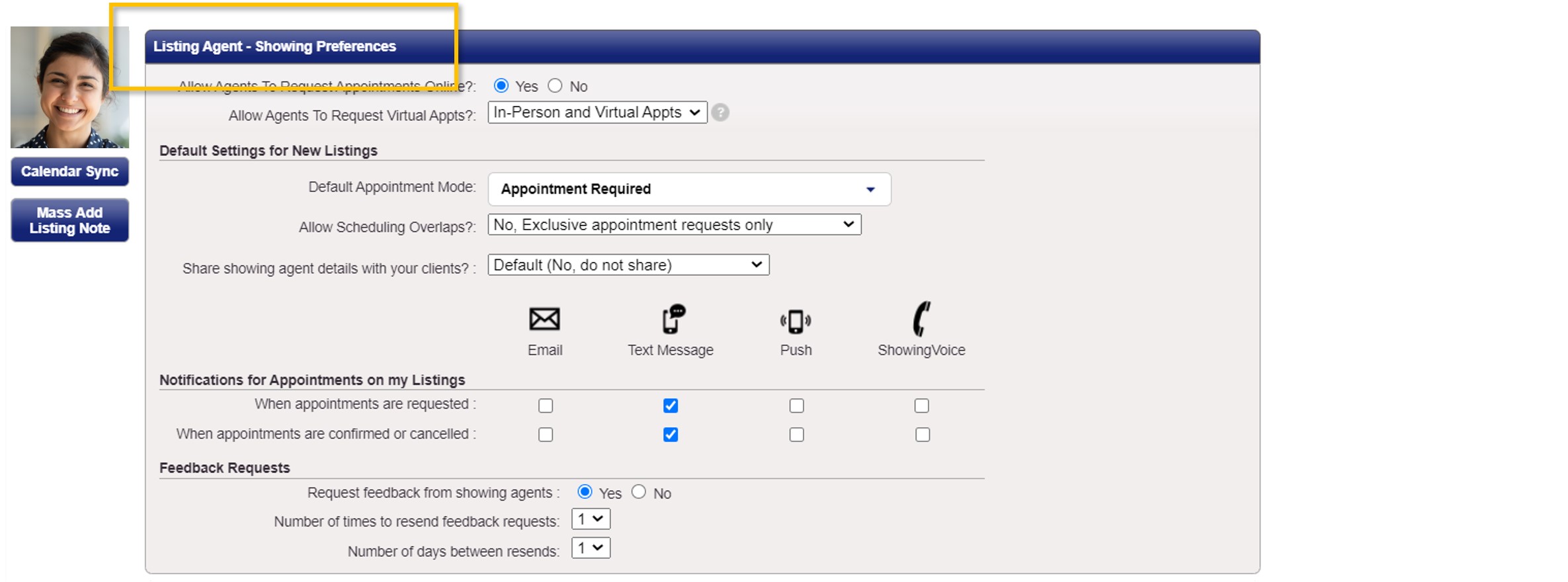
In your ShowingTime profile there is a section called Listing Agent – Showing Preferences. This is where you can select how you would like to be contacted for requests on your listings. Once these are saved, they will be the default settings for all of your current and future listings.
How Will I Be Notified When I Request to Show a Listing Using ShowingTime?
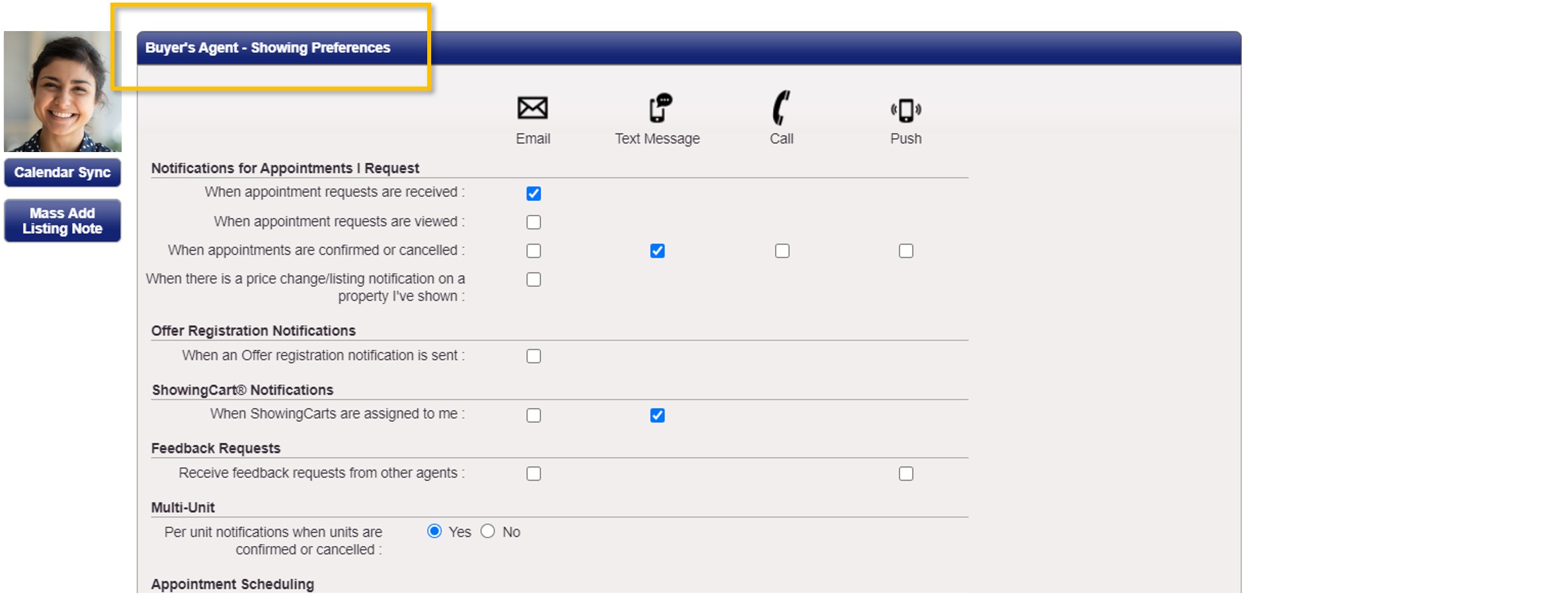
In your ShowingTime profile is a section called Buyer’s Agent – Showing Preferences. This is where you can select how you would like to be contacted for showing requests you have made on other agents’ listings. Once these settings are saved, they will be the default settings for all of your future showing requests.
How Do I Enable Text Message Alerts for ShowingTime?
Make sure your cell phone number appears as a Mobile Phone and in the Text Message field in your profile settings, and that you have selected to receive text message confirmations on each listing. We have instructions here.
How Can My Seller Approve and/or Receive Notifications about Showing Requests in ShowingTime?
In order for your seller to approve showing requests and/or receive notifications about showing appointments, the seller must be added as a contact on the listing in ShowingTime. We have instructions here.
Who Receives Showing Requests and Appointment Confirmations First?
Every Contact on a listing (including the listing agent, a co-listing agent, seller, etc.) who is setup to approve or deny showing requests or receive notices related to confirmed or canceled showing appointments will all receive the same notifications at the same time.
Who Can Approve a Showing Request?
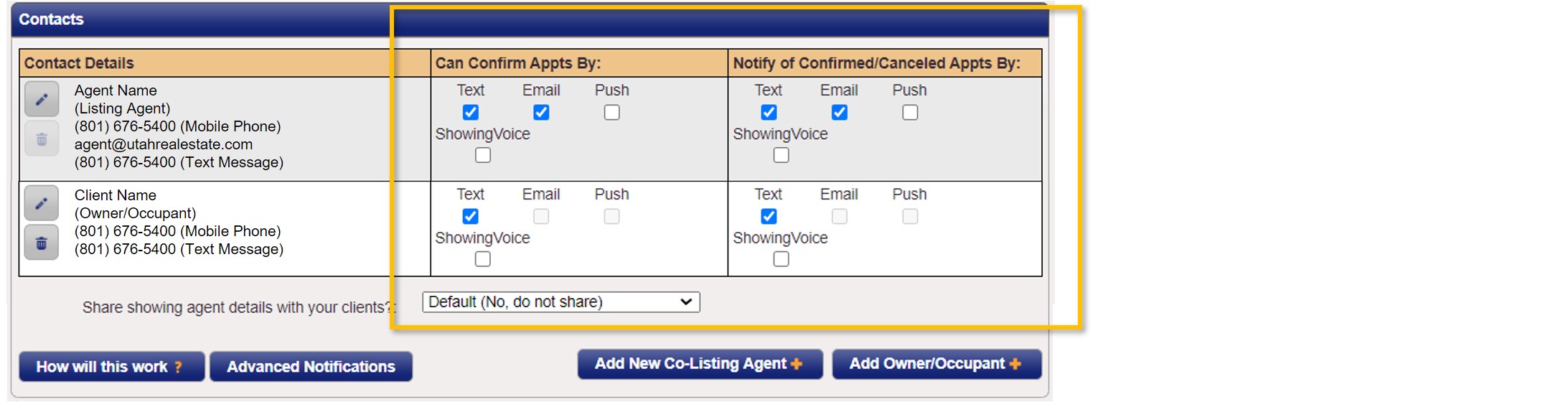
Any Contact (including the listing agent yourself, a co-listing agent, seller, etc.) who is setup with permissions to approve or deny showing requests for a particular listing can approve/deny any showing request that is submitted on that listing. If multiple contacts are setup with permissions to approve/deny showing requests, then a showing approval or denial will be determined by the contact that responds first to the request.
Example: You and your seller are both setup with permissions to approve/deny showing requests (as illustrated in the screen shot below). A showing request is sent to both you and your seller. Your seller responds to the request before you respond, and they confirm the showing request. As soon as your seller confirms the request, that confirmation (i.e. the approval or denial of that request) would immediately be sent to the agent that submitted the showing request and you would no longer have the ability to confirm or deny that initial showing request. You will, however, receive notification that the seller has responded to the showing request.
How Can I Verify that Notifications and Approvals are Being Sent?
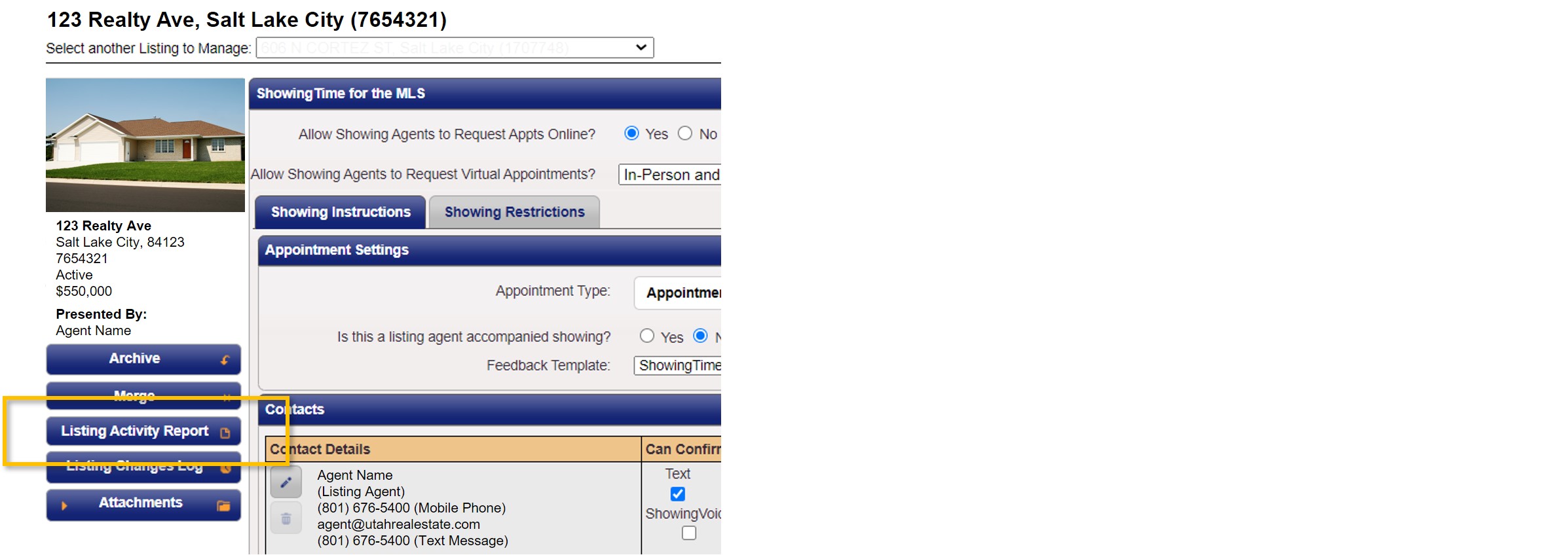
ShowingTime tracks all listing activity and notification history related to showings. If you need to track down information such as who processed a showing request or when a notification was sent to your client, we recommend going to the Listing Activity Report associated with your listing in ShowingTime (as seen below). This report contains the following information:
- A timestamp of when a showing request was sent and who received the request.
- A timestamp of when a showing request was approved or denied, as well as information about who processed the showing request (i.e. who approved or denied the request).
- A timestamp of when a confirmation or cancellation notification related to a showing was sent and who receive the notification.
If you need any assistance, please contact us at 801-676-5400 or support@utahrealestate.com.