
How Can We Help?
How Can My Assistant Approve and/or Receive Notifications about ShowingTime Showing Requests?
In order for your assistant to approve showing requests and/or receive notifications about showing appointments, your assistant must be added as a contact on the listing in ShowingTime. Here are the instructions to add a contact on a listing in ShowingTime.
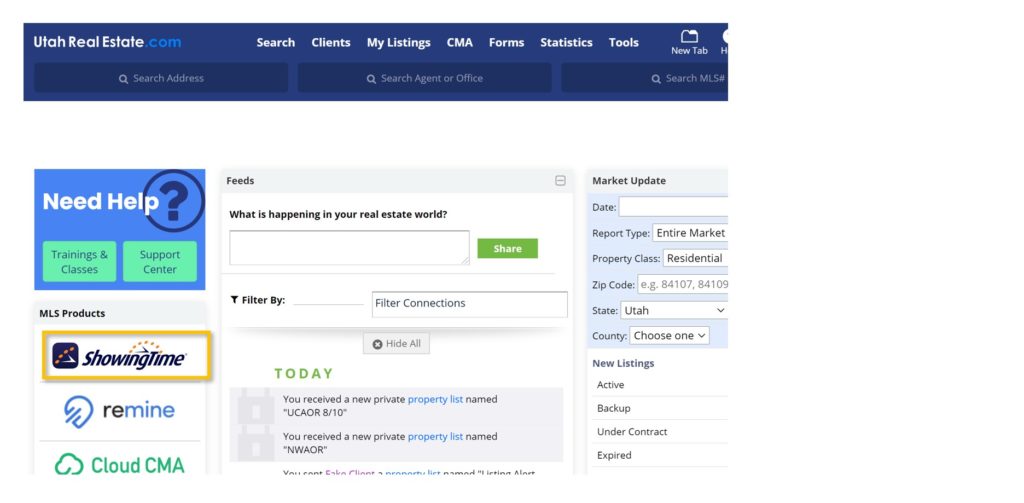
1. From the UtahRealEstate.com homepage, click the ShowingTime icon on the left side of the page.
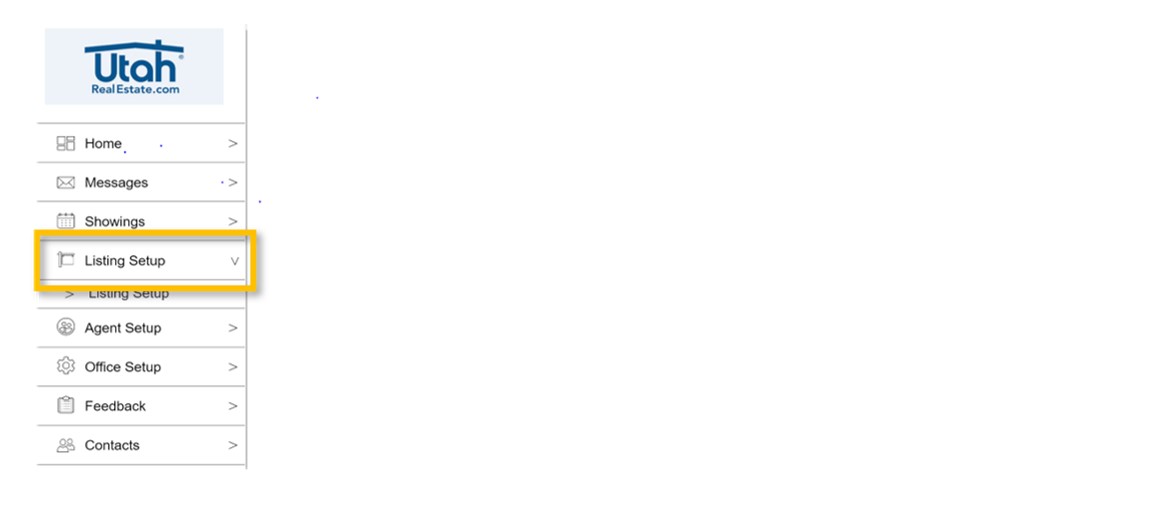
2. Click the Listing Setup option on the left side of the page.
3. On the grid view, find the listing you want to edit, and click anywhere on that row to edit the listing.

4. In the Contacts section, click Add New Co-Listing Agent.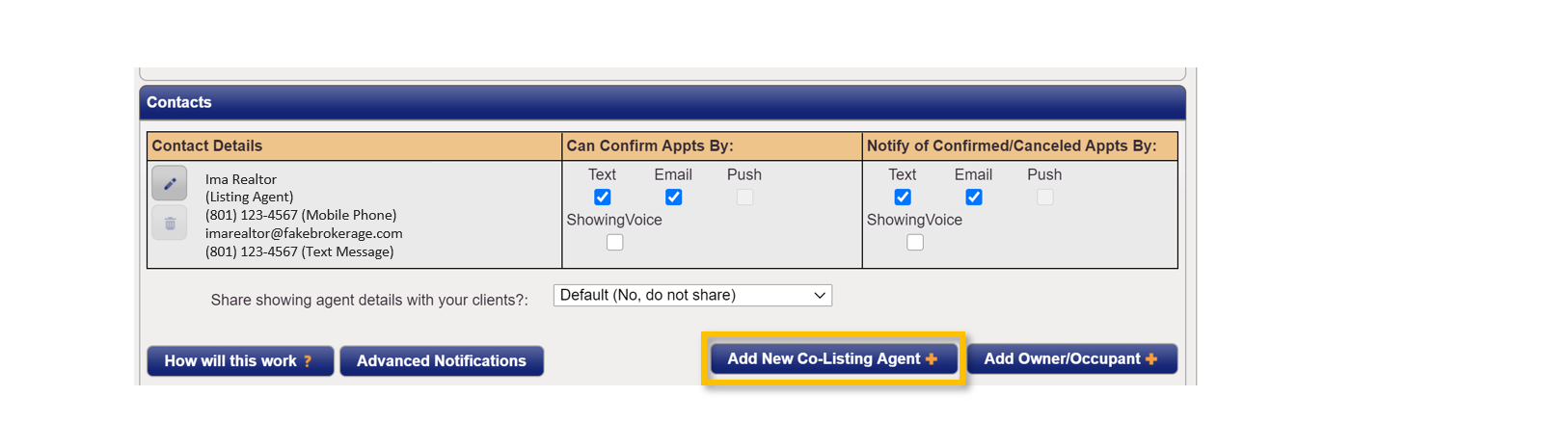
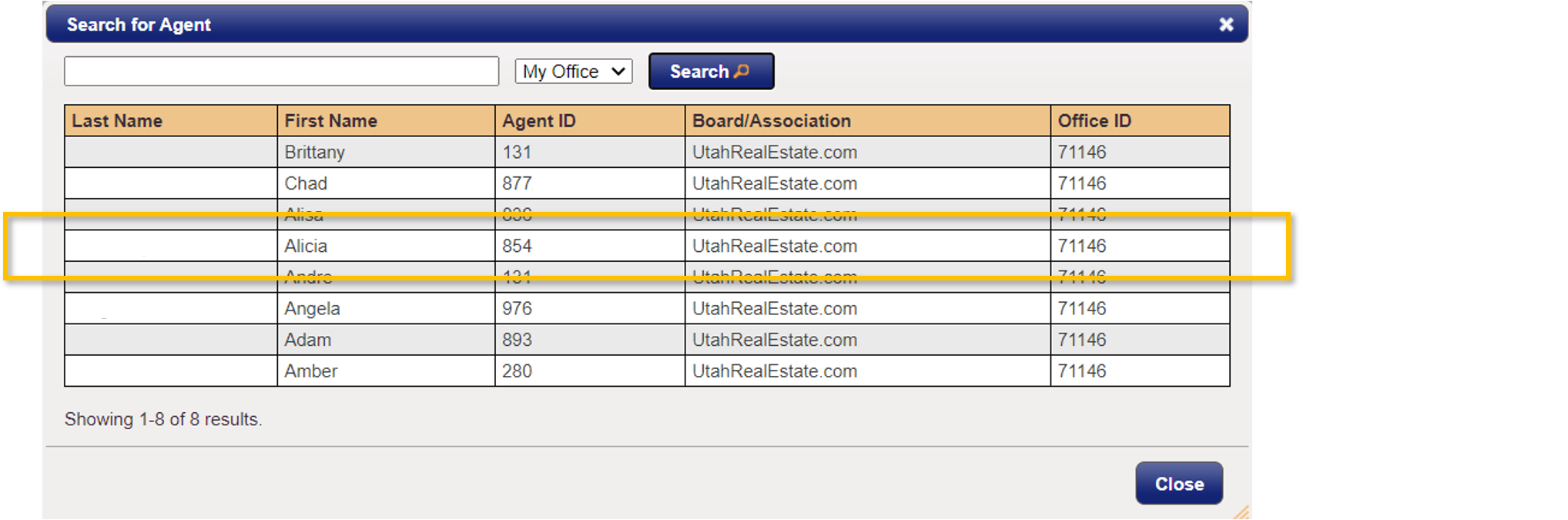
5. Use the Search for Agent search tool to find your assistant or other MLS member that you want to add as a contact in ShowingTime.
6. Once you have found the individual that you want to add as a contact on your listing in ShowingTime, simply click the individuals name.
7. Once the assistant information is added, the assistant will then appear in the Contacts section of your listing within ShowingTime. In that section, you can use the check boxes to (1) allow the assistant to confirm or deny showing requests, and/or (2) receive notifications about confirmed or canceled showing appointments.
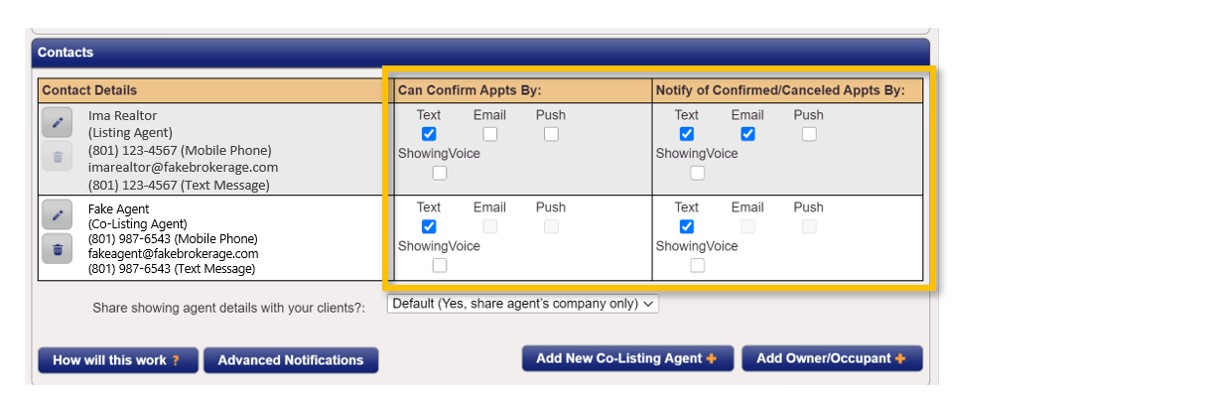
Note: Every contact (including yourself, a co-listing agent, seller, etc.) that is setup to approve or deny showing requests will all receive the same notification. A showing approval or denial is determined by whichever contact responds first to the request. For example, if you and your assistant are both setup to confirm appointment requests (as illustrated in the screen shot above), and your assistant responds to a request before you, then the assistant’s response (i.e. the approval or denial of that request) would immediately be sent to the agent that submitted the showing request.
8. Last, when you are finished, don’t forget to click the Save Changes option at the top of the screen.

If you need any assistance, please contact us at 801-676-5400 or support@utahrealestate.com.