
How Can We Help?
What is the ShowingTime Listing Activity Report?
The Listing Activity Report will summarize all showing activity for the life of each listing. Tracked activity includes:
- Pending, denied, and accepted showing requests
- Completed showing appointments
- Showing feedback
How Do I Run the Listing Activity Report?
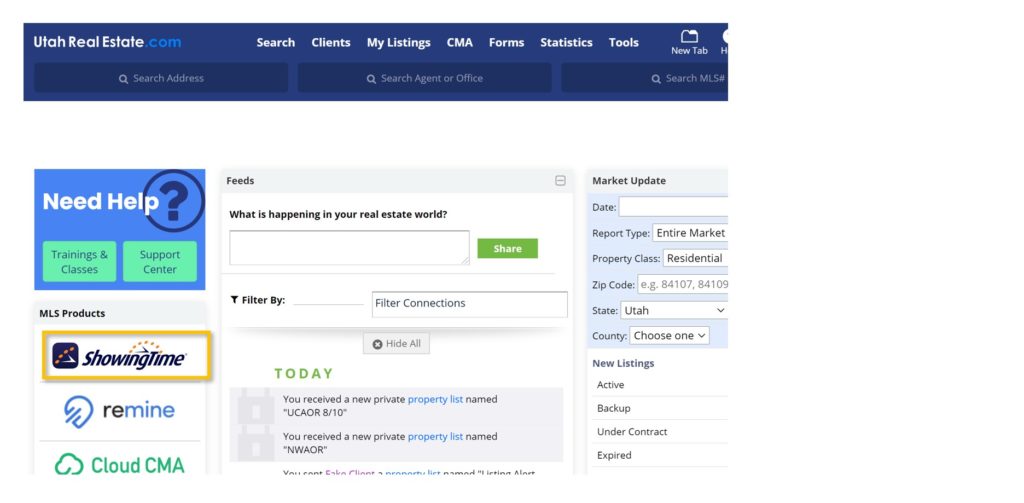
1. From the UtahRealEstate.com homepage, select the ShowingTime icon on the left-side of the page to access your ShowingTime account.
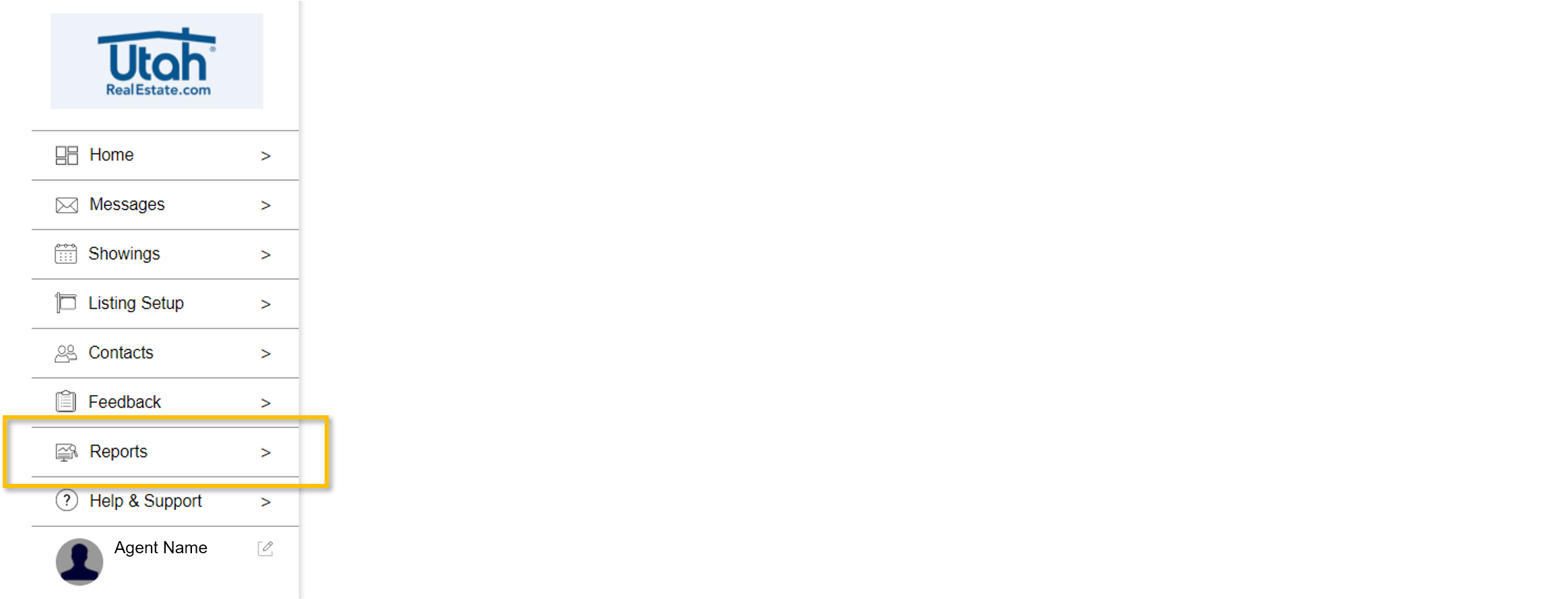
2. Click the Reports option from the ShowingTime menu.
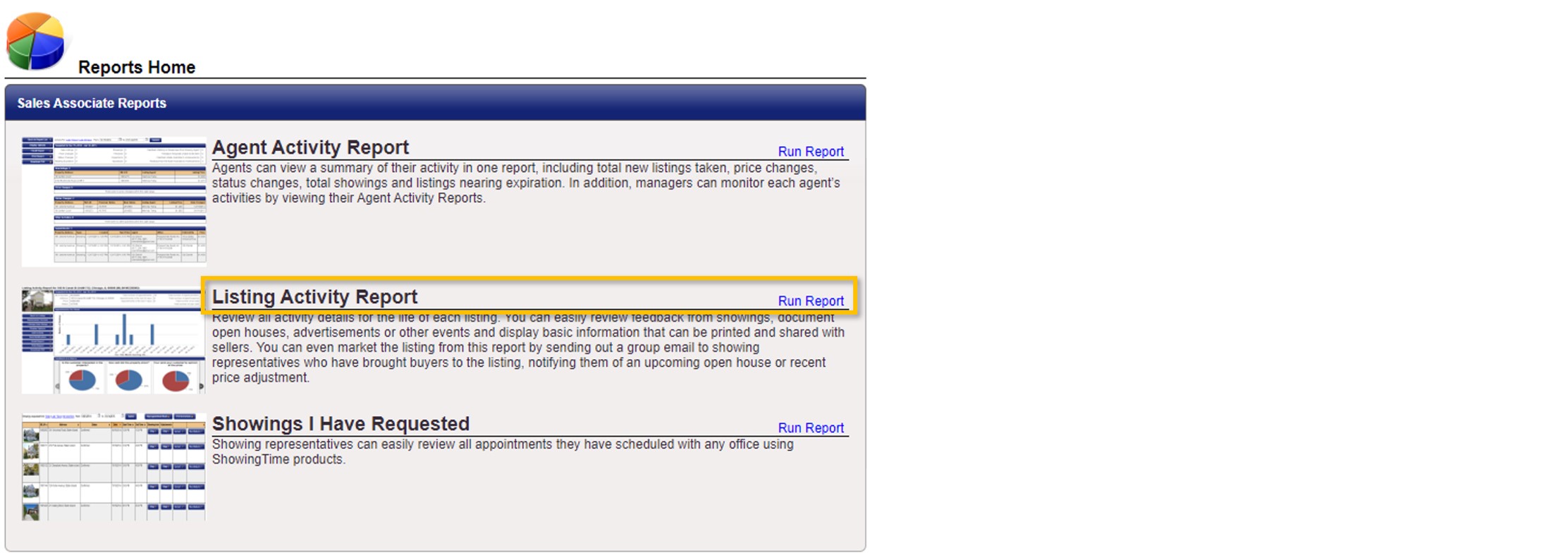
3. From the Reports tab, select the Listing Activity Report.
4. From this list, find the desired listing and click anywhere on that row to run the Listing Activity Report.

What will I See in the Listing Activity Report?
The Listing Activity Report will summarize all showing activity for the life of the listing in the following five sections:
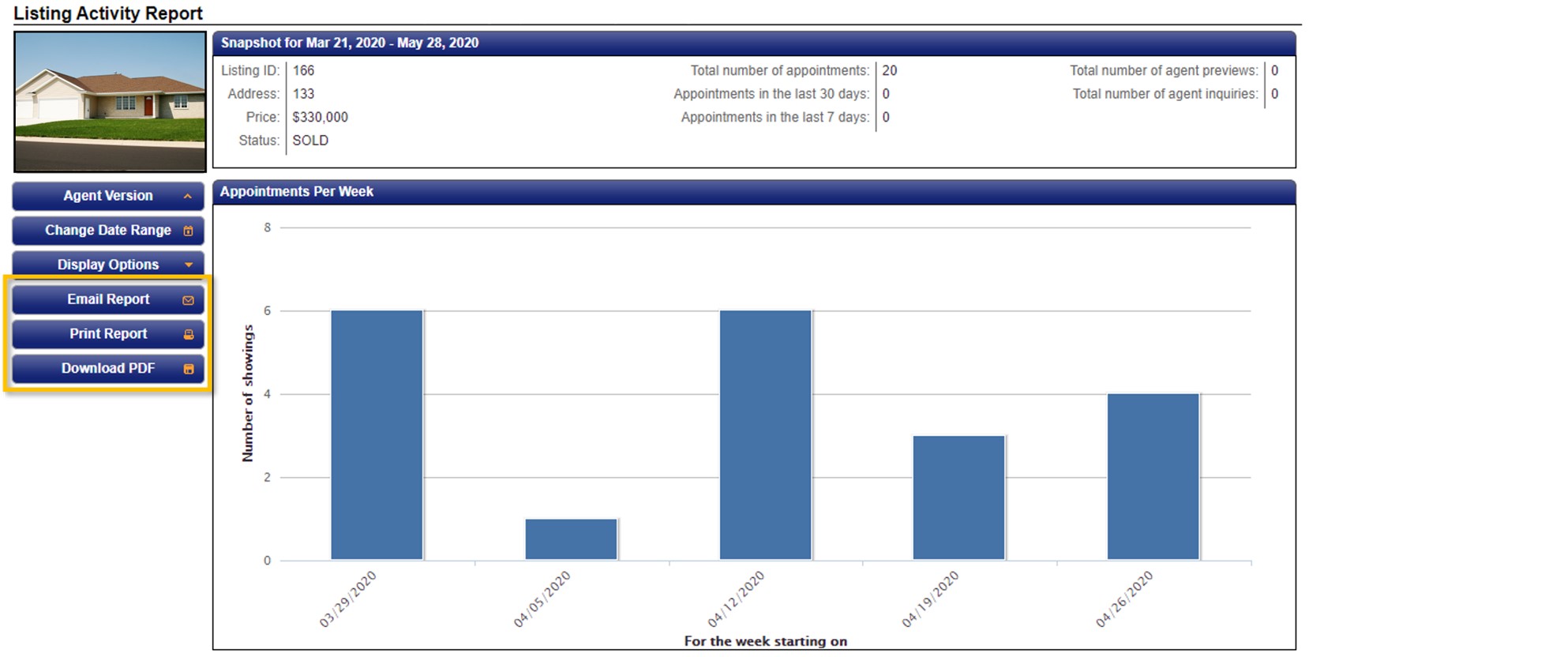
Snapshot – This is a brief overview of the listing facts and appointments scheduled.
Appointments Per Week – This is a column graph depicting the weekly number of showings.
Feedback at a Glance – This is a pie chart overview breaking down showing feedback responses in a yes/no format.
Feedback Responses – This is a list of the detailed feedback received from specific showings. This feedback can be made available to your seller by selecting publish in the ‘Available to Homeowner’ column. This information will be available in the Homeowner Version (explained in more detail below) of this report.
Listing Activity Details – This is a detailed list of showing activity including but not limited to:
- Listing status changes
- Requested showings
- Denied and confirmed showings
- completed showings, and the agent who showed the listing as well as their feedback
How do I share the Listing Activity Report?
There is a Homeowner Version of the Listing Activity Report. This version will omit information not intended for clients such as the showing agent information and unpublished feedback.
1. Open the Homeowner Version from the menu of options on the Listing Activity Report.
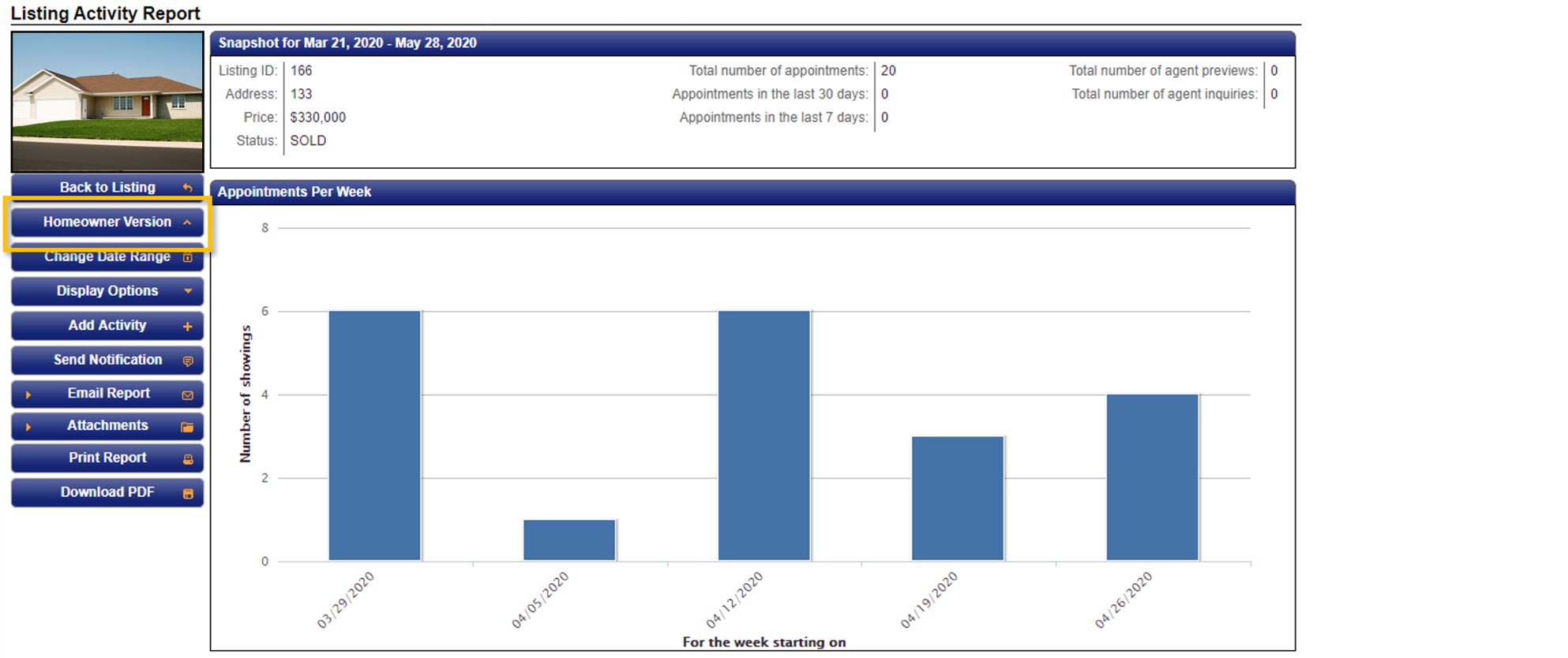
2. Select your desired send type – Email Report, Print Report, or Download PDF.
If you need any assistance, please contact us at 801-676-5400 or support@utahrealestate.com.