
How Can We Help?
There are a few ways to search for listings by address:
1. For current, on-market listings, which includes those in Active, Backup (or Active Under Contact) and Under Contract status, can be quickly found using the Search Address bar at the top of the MLS page.

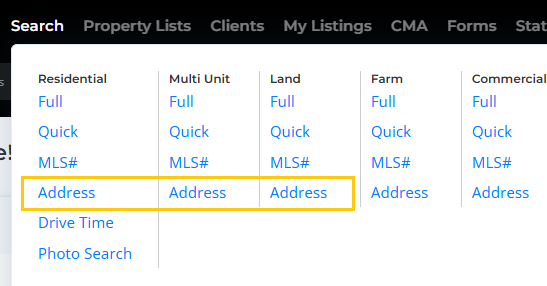
2. To search for a listing that is not currently on the market, click on Search at the top of the page, then click on the Address option under the desired property class.
This is a simplified search with a few location fields. Enter the house number and zip code, city, or the beginning of the street name.
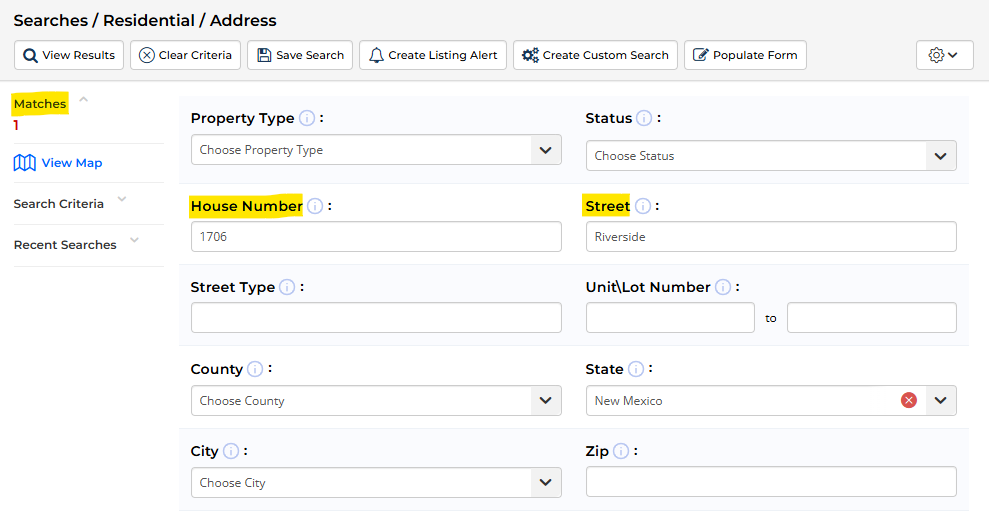
We recommend keeping the search simple, and avoiding using the street type (like street, avenue, or drive) in the Street field.
Please note: The location fields (such as house number, street name, city, zip, etc.) are available in other standard searches, such as the Full and Quick searches.
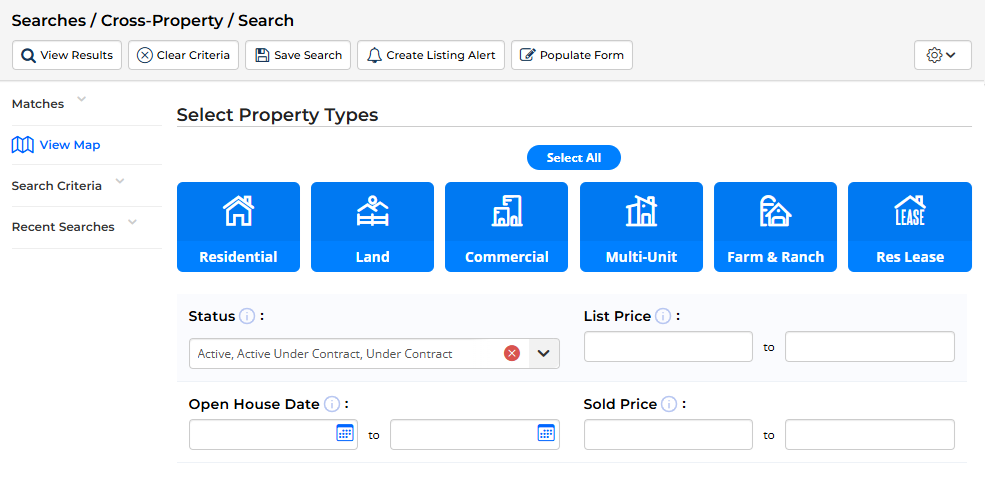
3. To search for a listing regardless of property class, use the Cross Prop search. You can select the property types and status, and then scroll down to the Location section and enter the house number and zip code, city, or first part of the street name.
4. Finally, you can find a listing that is either currently on-market, or has been updated to a finalized status (sold, expired, canceled) within the last year using the Map Search option in the Searches menu:

