How Can We Help?
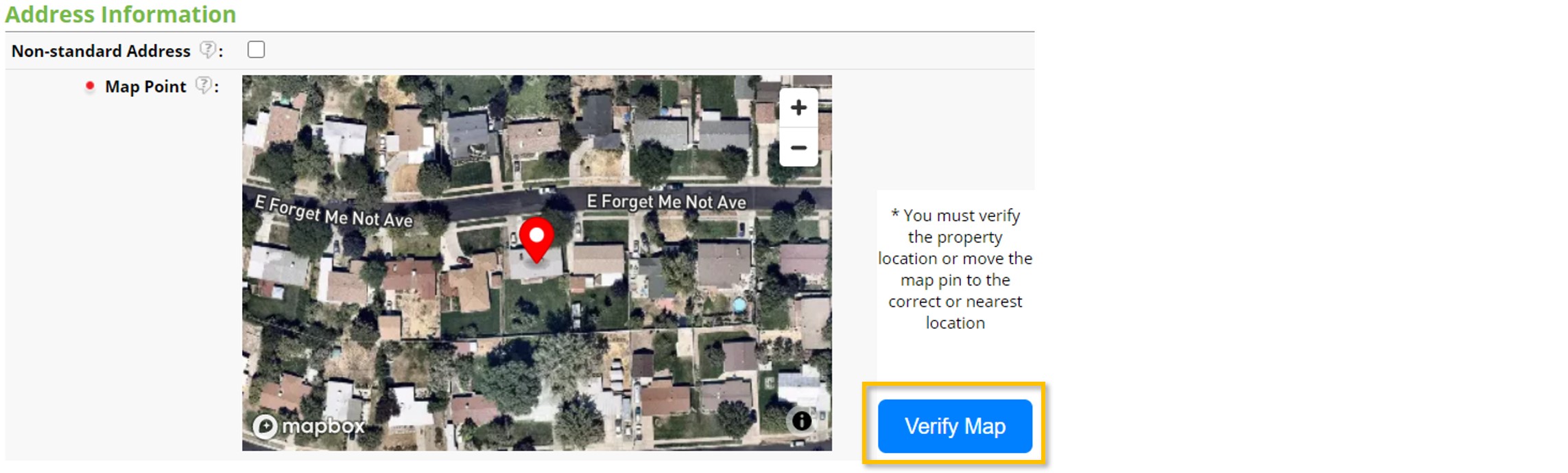
When entering a listing into the MLS, the system will automatically plot a map location based on the address of your listing. You are required to verify this map pin to ensure it accurately reflects the location of the property.
How do I Correct the Map Location on my Listing?
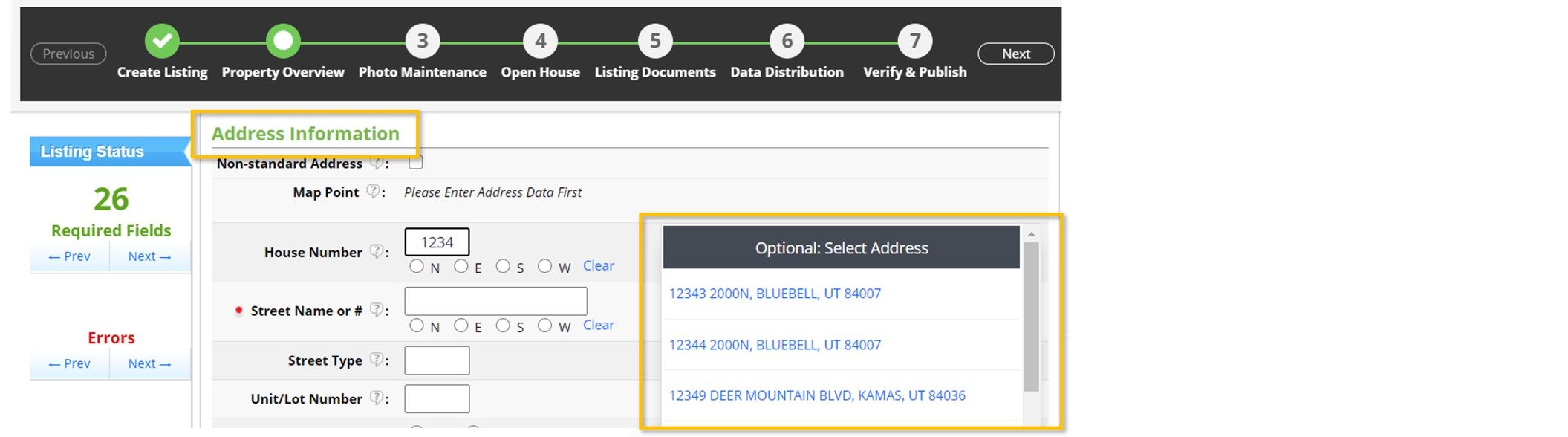
1. Get an estimated map point by entering the property address under the Address Information section of listing input. You can enter this information manually, or by selecting from the suggested addresses under Optional: Select Address.
2. Under the Map Location section, the system will now suggest a map pin location. If the location is incorrect, or you need to direct agents and their clients somewhere else (such as a model home), simply click and drag the red map pin indicator to the correct location on the map.
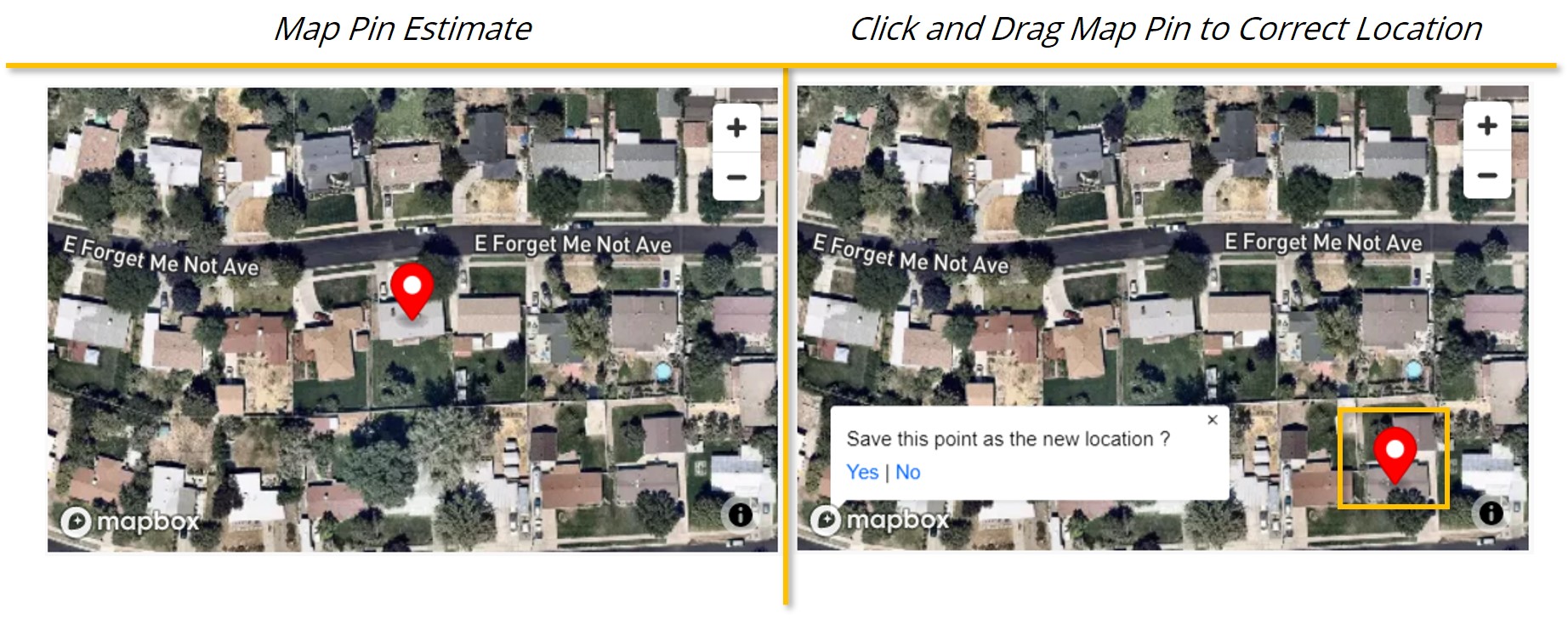
Tip: You can zoom in or out on the map, and you can click and drag anywhere on the map to navigate to a different location.
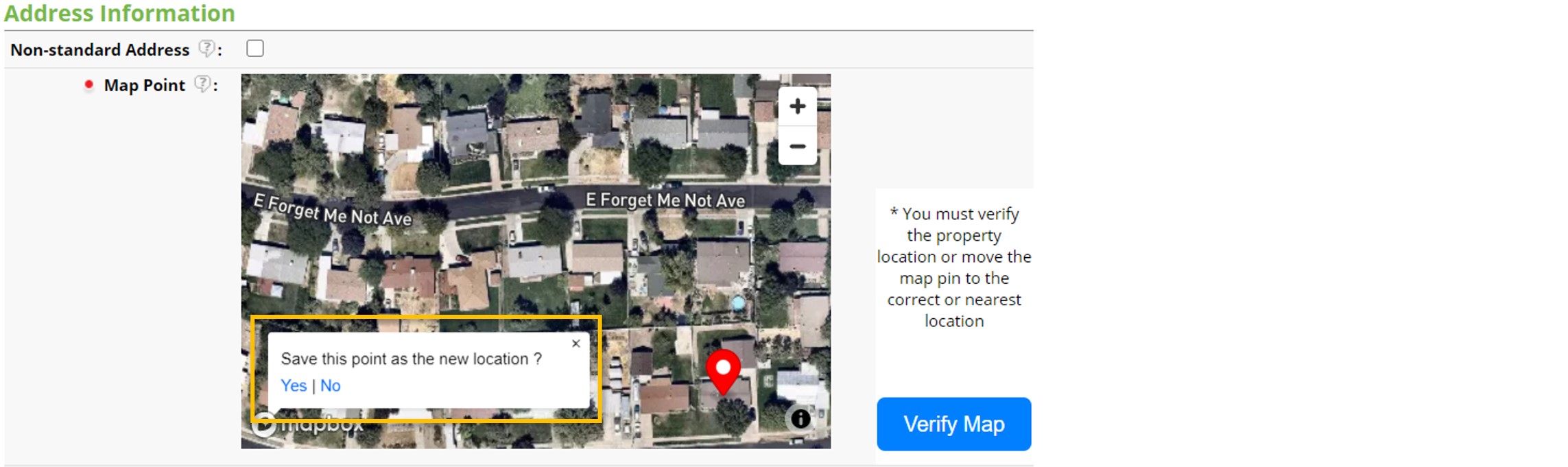
3. After manually moving the map point, you will be prompted to confirm that you want to save the changes you have made. Select Yes to confirm your new map pin location.
How do I Verify the Map Pin?
Confirm that you have approved or corrected the map location by selecting the Verify Map button. This is a required field.