How Can We Help?
How Do I Enter Listings into the MLS?
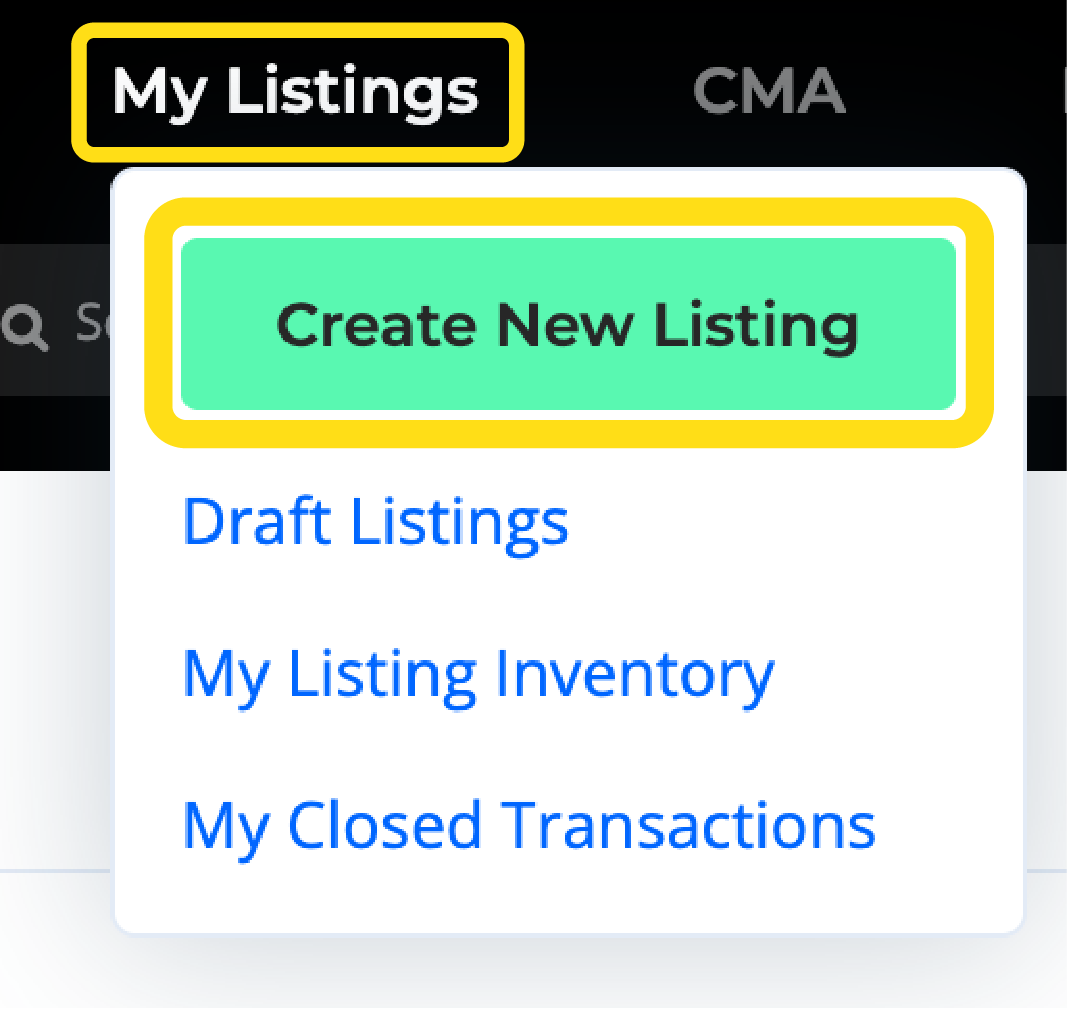
To enter a listing in the MLS, click on My Listings, in the blue bar at the top of the page, then Create New Listing. Give your listing a name (such as the name of your client, or the address of the property), and click on Start Listing.
How Do I Print the Filled Listing Input Form?
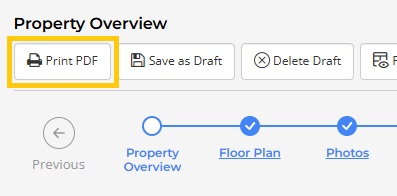
To print a filled listing input form, click on Print PDF in the Property Overview section of the Listing Input Wizard (the first page of the wizard). You can print the filled listing input form for unfinished or published listings.
Can I Auto-Populate Listing Facts?
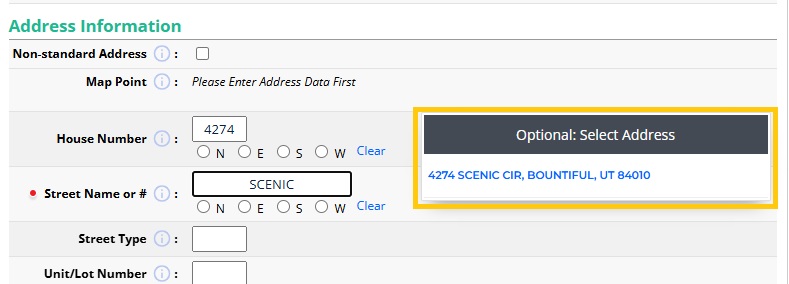
Listing facts can be populated from Tax Records. To do this, begin entering the property address under Address Information. Next, choose the correct address from the Optional: Select Address pop-up window. Always check the entire listing for accuracy before publishing.
How Do I Correct the Map Location on my Listing?
Under the Map Location section, the system will estimate a map pin location based on the address of your listing. To correct or alter this location, simply click and drag the red map pin indicator to the correct location on the map.
Select Yes to confirm your new map pin location.
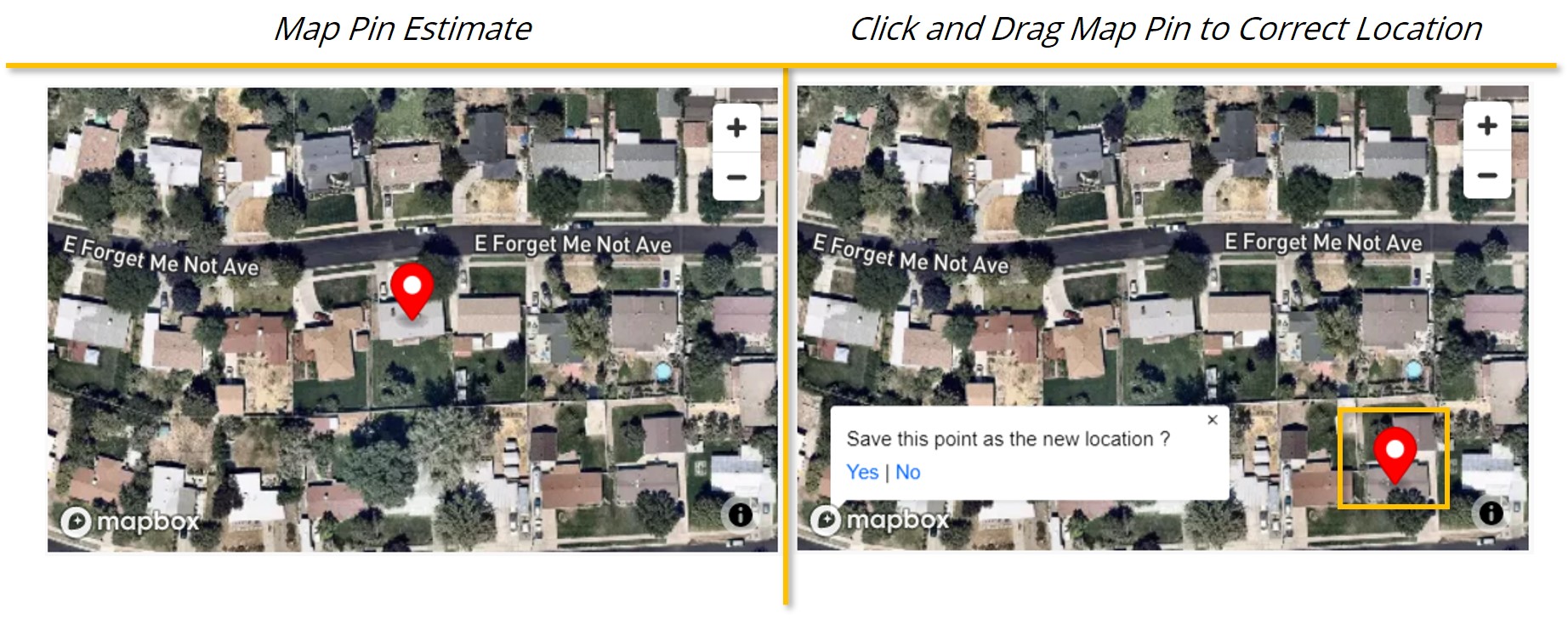
If the map does not appear, remove and re-add the city and zip code. Adjusting one of the location fields will prompt the system to update and display the map location so that it can be verified.
How can I get Permission to Edit or Publish Listings on the MLS?
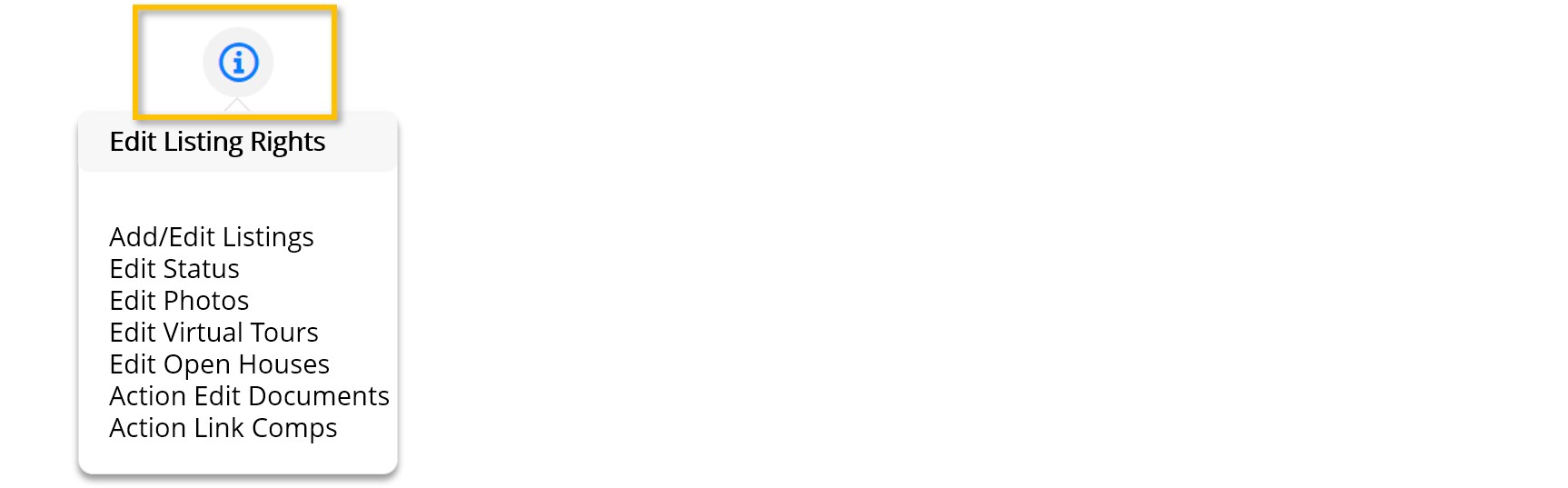
Listing Input permissions are granted by the head (or managing) broker in each office. To see if you have the rights to enter or edit your listings on the MLS, open Unfinished Listings from the My Listings tab, and look for the Information icon at the top right. If you have any questions, speak with your broker about your office’s policies on listings and edit rights.
For URE members: How can I Correct the Information on a Sold Listing?
If a Sold listing needs to be corrected, send an email to our Member Services group at memberservices@utahrealestate.com. Include the MLS number of the listing, and the information that needs to be changed. Attach the closing disclosure documents (for a change in sold price, sold date, or concessions), or the Real Estate Purchase Contract (to update the buyer’s agent).
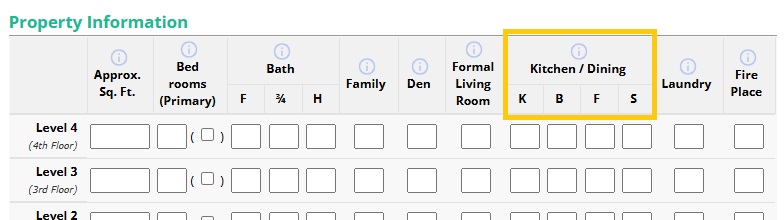
For URE Members: What does K B F S stand for in the Property Information Section?
K B F S stands for Kitchen, Bar (or Breakfast Bar), Formal, and Semi-Formal. It is meant to indicate where the dining areas are located in the home.