How do I Indicate which Schools are Associated with my Listing?
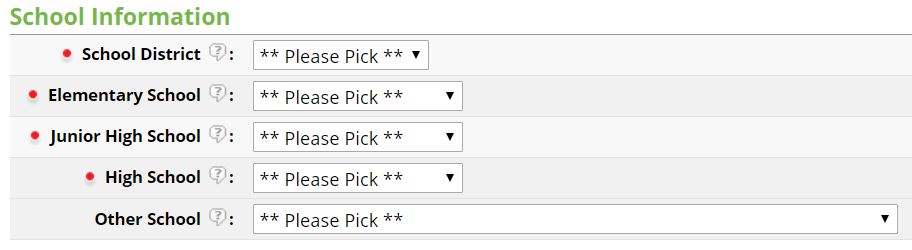
When entering a listing into the MLS, all public-school information is required. Add school information to a listing with the following steps:
1. Go to the School Information section in the listing input wizard.
2. Start by selecting the School District in which the property is located.
3. Next, select the ElementarySchool, Junior High School, and High School associated with the address of the property. If you need assistance determining the correct schools, we recommend referring to the school districts’ website for school boundary details.