How Can We Help?
Background Information
MLS members who display other brokers’ listings on their business websites (IDX and VOW) have historically been required to include the name of the listing brokerage on their displays. As part of the National Association of REALTORS® (NAR) 2022 MLS Policy revisions, either the phone number or email address of the listing brokerage, as specified by the listing broker, must now also be included when displaying other brokers’ listings on your business websites.
The broker of an office can determine specifically what contact information they want to be displayed when their brokerage’s listings are displayed on other brokers’ and agents’ websites. These settings are modified on the Data Licensing page within the MLS.
For Brokers
- Select Tools from the main navigation menu, then select the Data Licensing option.
2. On the Data Licensing page, scroll to the section titled IDX Contact Information.
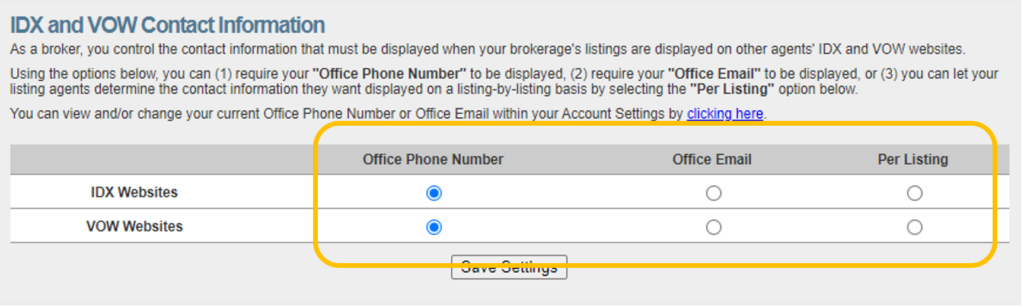
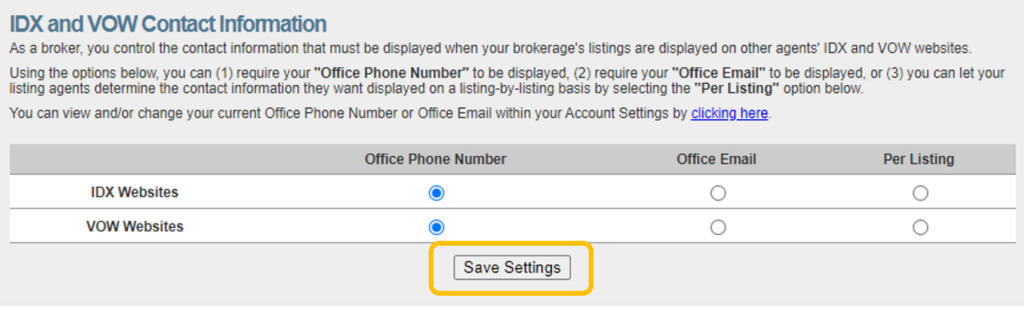
3. Options for selecting the contact information that you want to be displayed with your listings include:
- Office Phone Number: This is the phone number that is associated with your office profile in the MLS. Please know this is the default selection for your office in the MLS.
- Office Email: This is the email address that is associated with your office profile in the MLS. This is not the email associated with the broker’s personal MLS account.
- Per Listing: Use this option if you want to specify the contact information to be displayed along with your listings on a listing by listing basis. Using this option will enable an open text field on each listing you enter into the MLS (on the Data Distribution Listing Input Step), which will allow you to manually enter whatever contact information that you want to displayed for a given listing.
- NOTE: Per Listing is the option you will want to select if you want the contact information that you want to be displayed to be determined by the listing agent.
- Please keep in mind that if contact information is for any real estate licensee, that person must be a member of the MLS.
For Agents
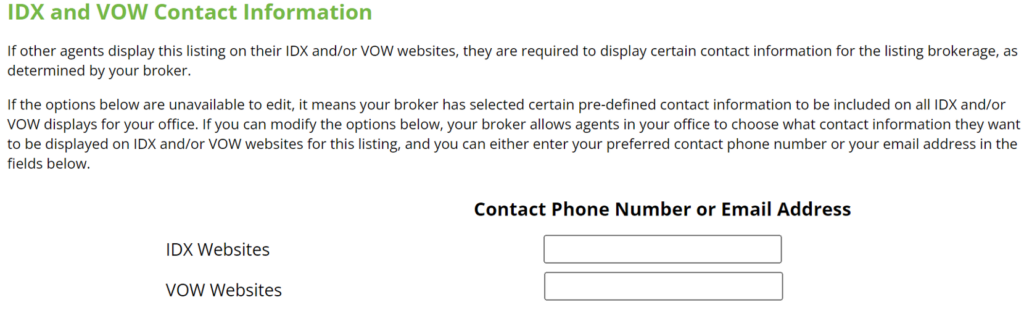
The IDX and VOW Contact Information section, as seen below, appears on the Data Distribution step of listing input or when editing a listing.
If the options in the IDX and VOW Contact Information section are unavailable to edit, that means your broker has selected certain pre-defined contact information to be included on all IDX and/or VOW displays for your office.
Agents whose brokers have enabled IDX and VOW Contact Information settings on a per listing basis (see Step #3 Above) will be able to enter the preferred phone number or email address that they want to be displayed when the listing in question is displayed on other brokers’ and agents’ business websites (IDX and VOW).
- Note: Please keep in mind that if contact information is for any real estate licensee, that person must be a member of the MLS.