When you first log into the MLS, you will be prompted to make a payment for your initial MLS fees, and set up an Autopay membership plan. Here are the steps to make that payment:
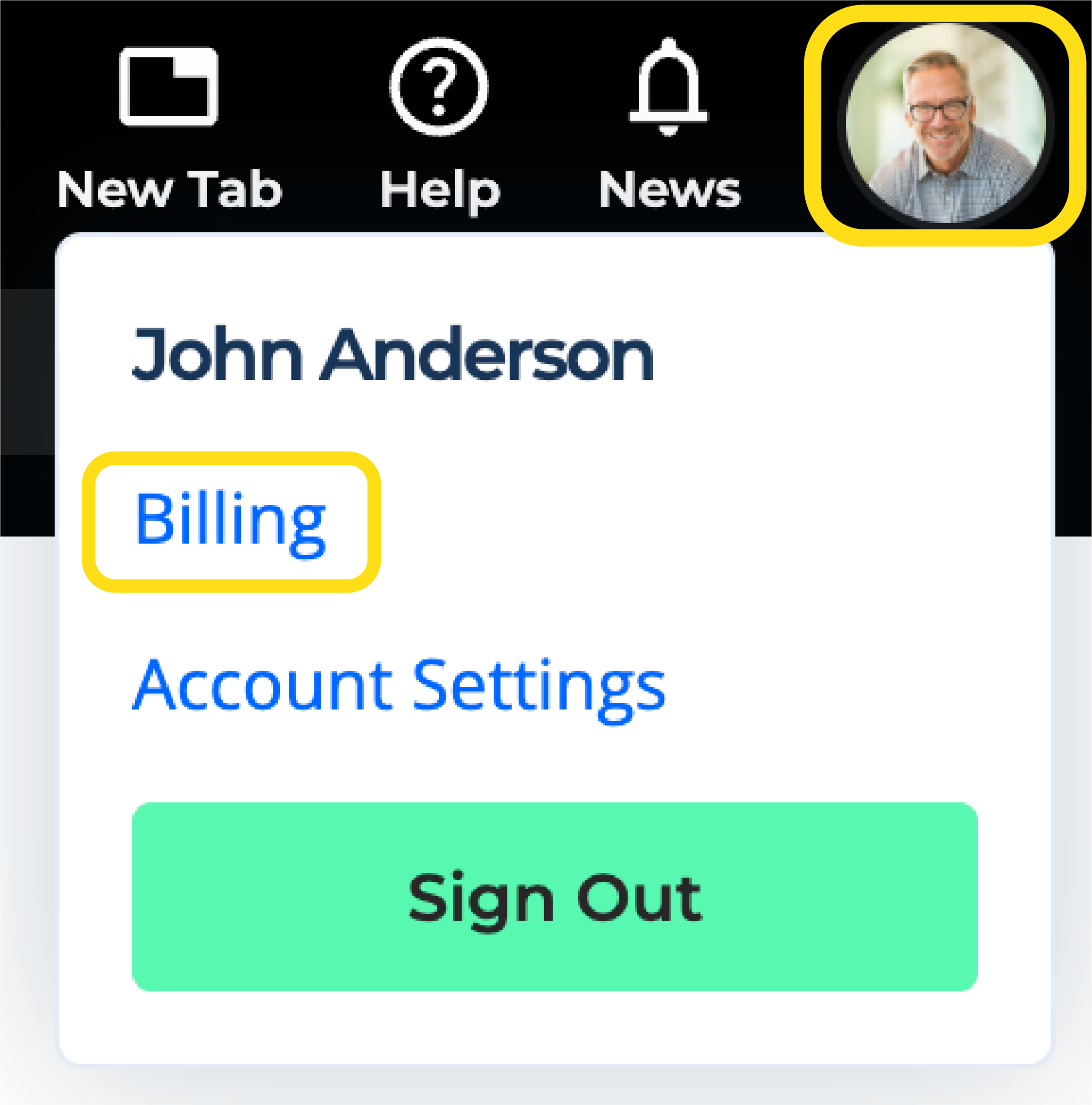
1. Click on the agent profile icon in the top right corner, and click on Billing.
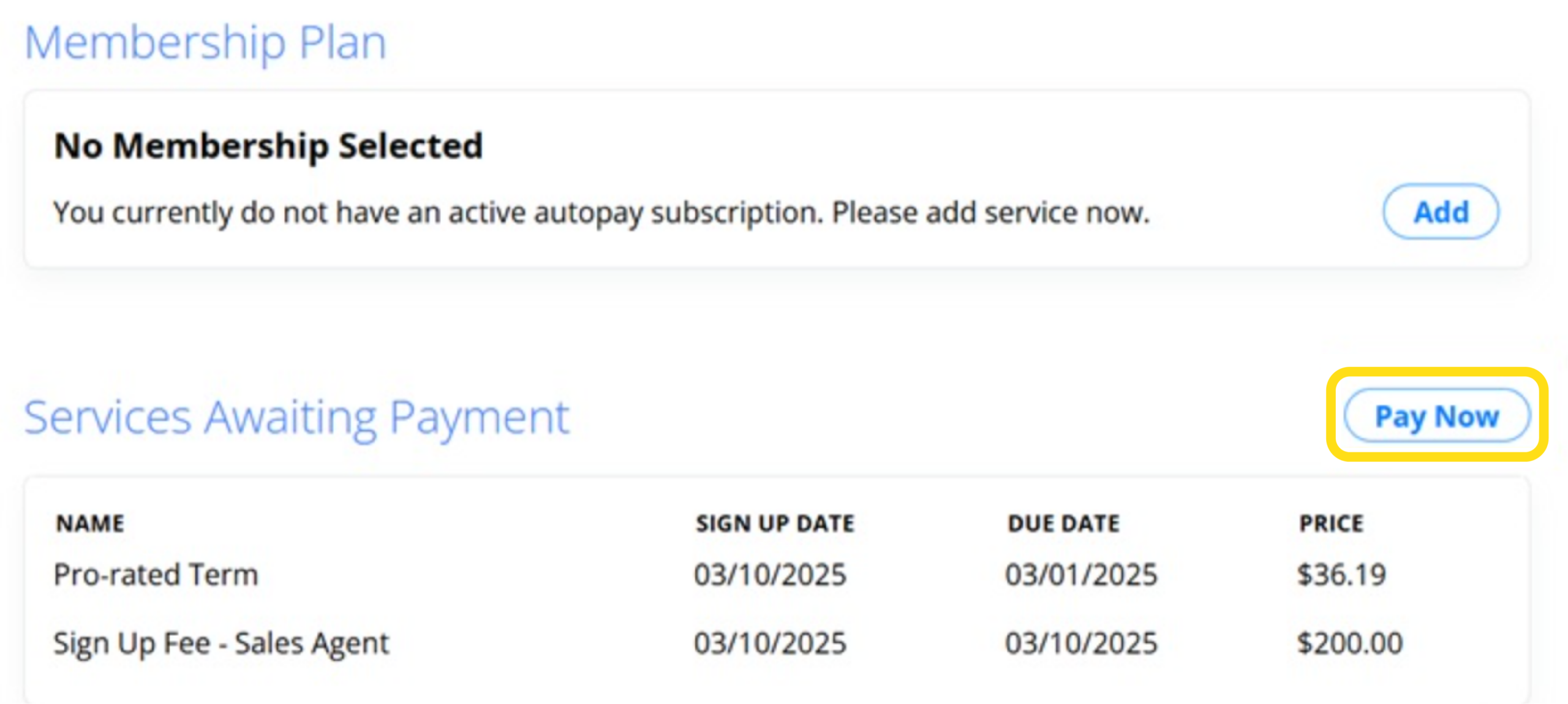
2. Under Services Awaiting Payment, you will see the current payment(s) that are due. Click on Pay Now.
3. Select your preferred Autopay membership payment plan option.
4. The order total will be displayed on this page. Click on Continue to Payment.
5. Enter your billing address and credit card information, and click on Submit Payment.