
Skip to main content
How Can We Help?
How do I Update my Payment Information?
If you need to change the payment method used for your autopay service, here are the steps to make that change:
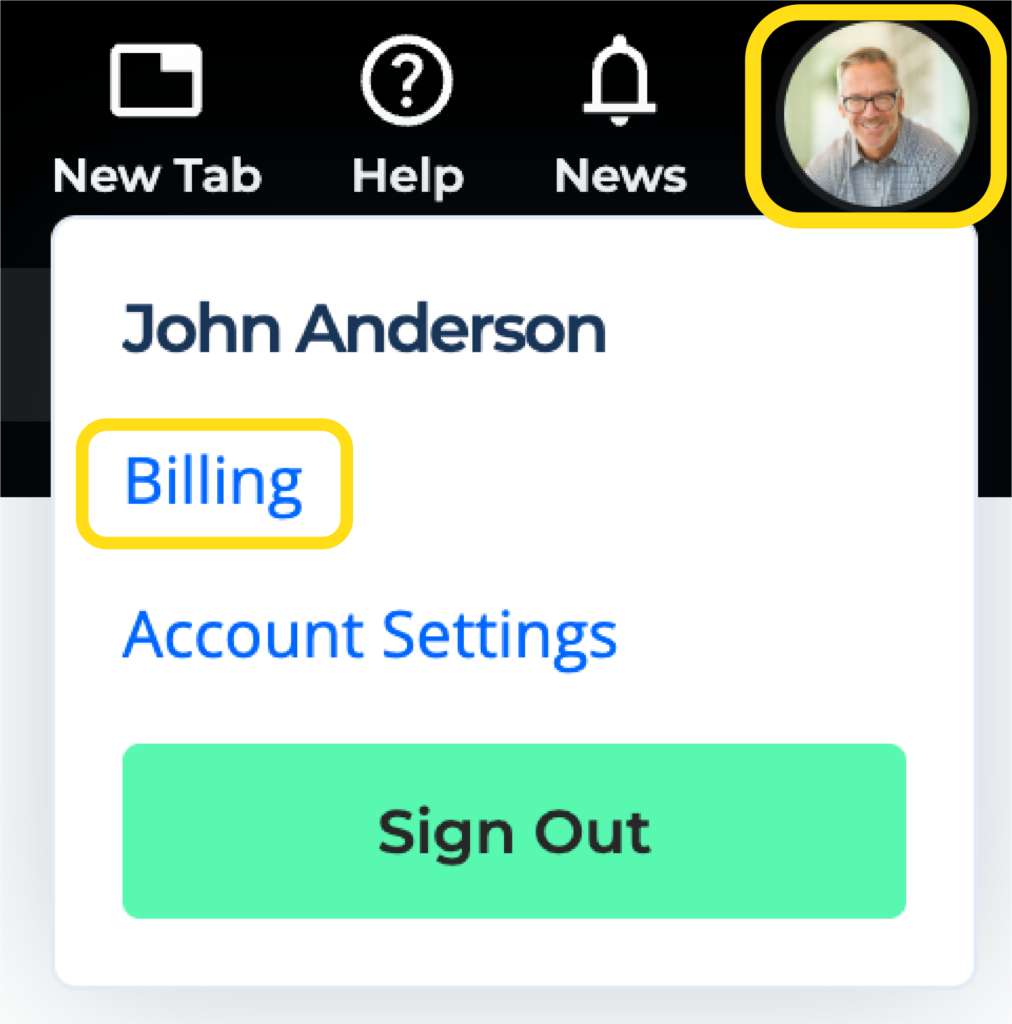
1. Click on the agent profile icon in the top right corner and click on Billing.
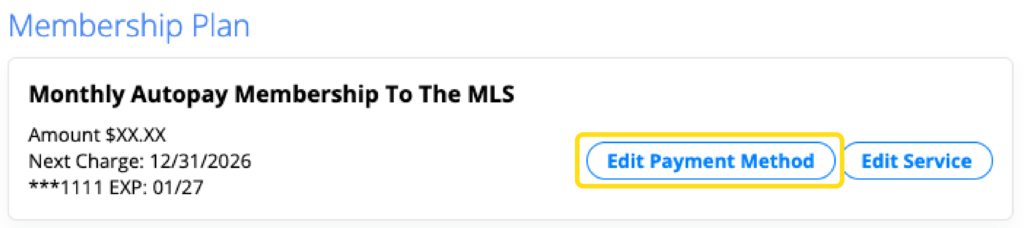
2. Under Membership Plan, click on Edit Payment Method.
3. Enter the billing address and credit card information for the card you would like to keep on file, and click on Submit.
Note: Your card will not be charged until the next payment is due.