How Can We Help?
How do I advertise an Open House on my Listing?
Open House details can be added to a listing during initial listing input or by editing an existing listing and choosing the Open Houses option.
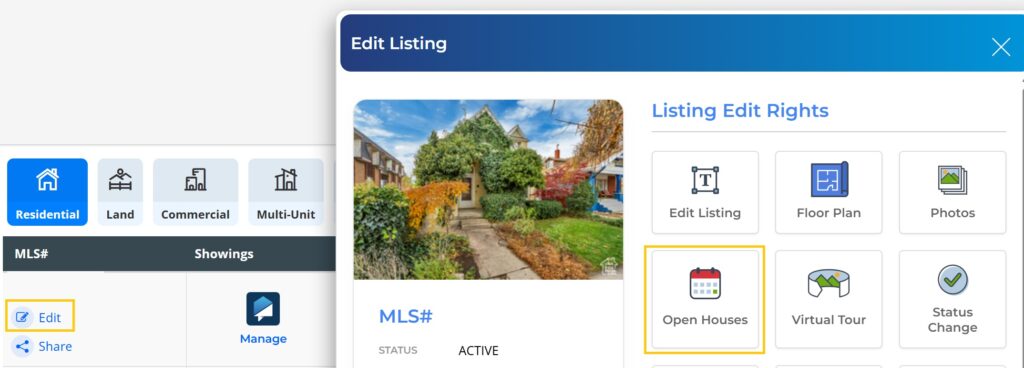
From the Open House page, select New Open House.

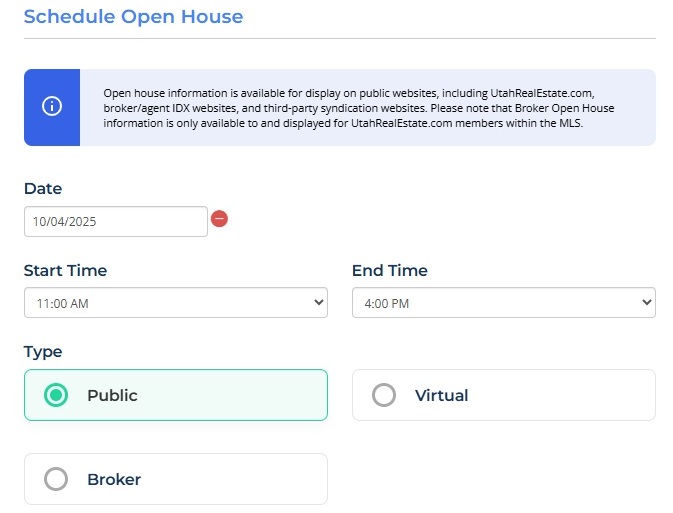
Enter the Date, Start Time, and End Time of your Open House. Designate whether the Open House is Public, Virtual, or Broker.
When Virtual is selected, enter the URL associated with the Virtual Open House.
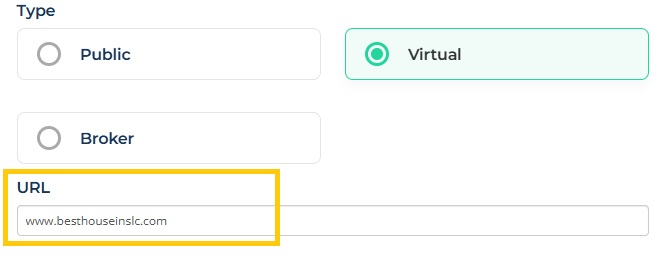
Note: Examples of platforms with live stream capabilities for Virtual Open Houses include Google, GoToMeeting, Facebook, YouTube, Zoom, etc.
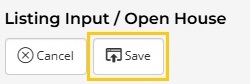
Finally, select Save.
How do I make changes to a scheduled Open House?
To edit the date and time of an Open House, or even cancel the Open House entirely, select Edit from the My Listing Inventory page under the My Listings tab.
Next, select Open Houses from the listing edit menu.
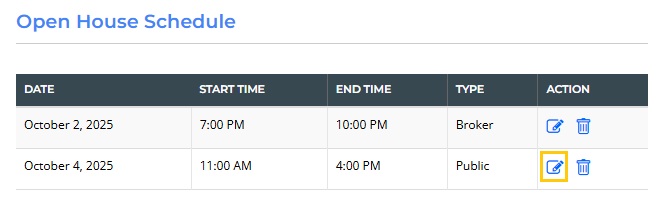
Finally, select Edit or Delete on the Open House schedule and make your preferred changes. Don’t forget to select Save.
What is the difference between a Public and Broker Open House?
A Public Open House (formerly called “In-Person”) is a traditional open house where prospective buyers tour the property.
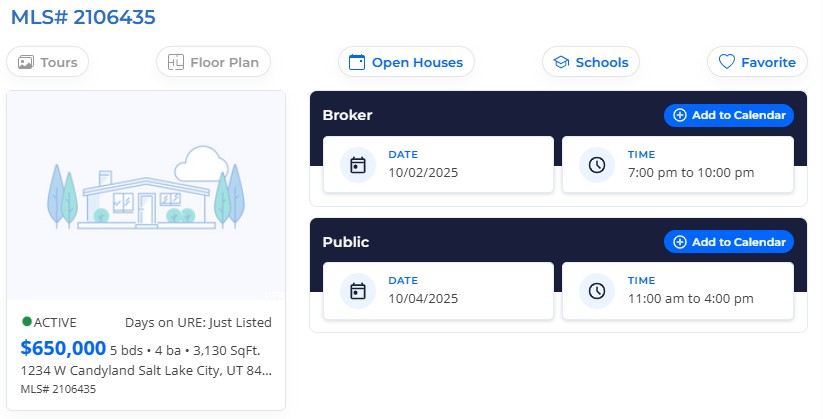
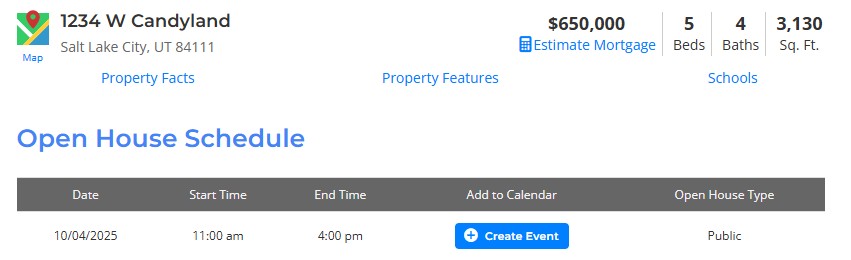
Below is how public open houses are displayed on the UtahRealEstate.com public website:
Broker Open Houses are only displayed in listing reports for other MLS members. Broker Open Houses are directed to other real estate agents and brokers, as they are only shown within the member side of the MLS system, and do not go out in any IDX or data feed.