
What is the Messages Section of Aligned Showings?
When a showing is requested on a listing, a message thread is created in the Messages section of Aligned Showings for that specific showing request. This allows agents and their team members to view information about the showing request (for example, if the request was approved or declined), change the date/time of the showing request, cancel a showing, communicate about the showing, etc.
Below is an example of a message thread that is created for a showing request. When you request a showing on a listing, this is the page you will be directed to as soon as your showing request has been sent.
When you receive a communication about a showing request, such as an email, text message or push notification from Aligned Showings, that communication will include a link that will take you back to the message thread that was created for that showing request.
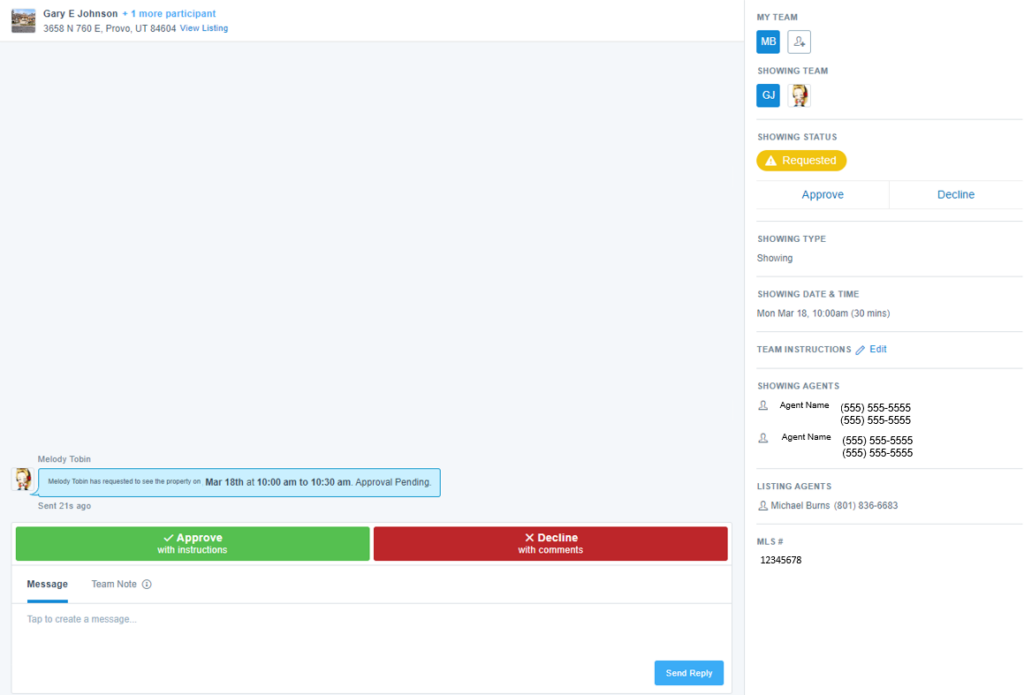
Features of Messages
Here is an overview of the features shown on a message thread in Aligned Showings:
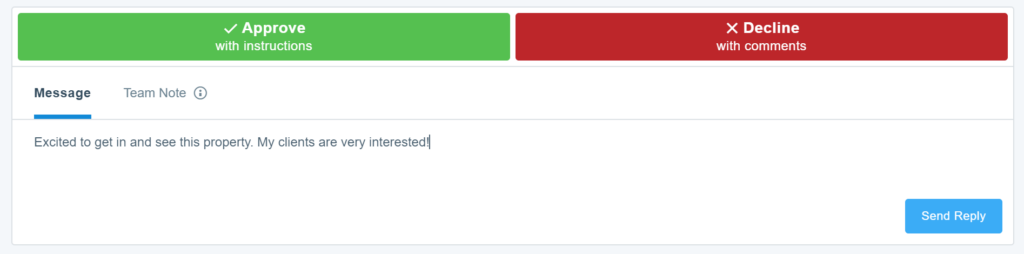
Message and Team Notes
The body of the message thread is where you will see the communications history between you and the listing agent/team. As a listing agent, this is one of the locations where you will see the buttons to approve or decline the showing request, and as the showing agent this is where you will see the response to your showing appointment request.
You can also use the Message box at the bottom to send a message to the other party involved in the showing. The other party will receive that message via their preferred notification settings (text, email, and/or push notification).
Team Note is where you can send a message that will only go to members of your team. For example, if you are a listing agent and you have an office assistant added to your listing, you could use Team Note to send a message that will only go to that office assistant.
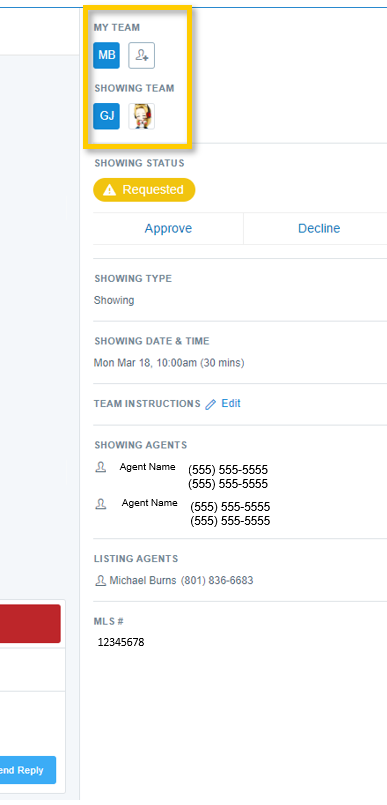
Contact and Team Information
On the right panel of the message thread, you will see a section that shows all of the team members that have been included or added to the message thread on both the listing side and the showing side. Anyone added to your listing settings in Aligned Showings will automatically appear here (click here to learn more about adding a team member to a listing). You can use the person icon seen below to add a team member to the message thread.
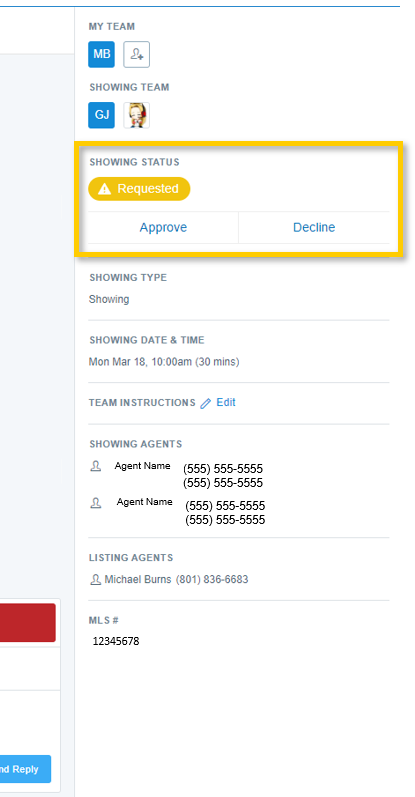
Showing Status
The status of the showing appointment request is shown on the right panel of the message thread. Here are definitions of each status:
- Requested: The showing appointment request has been submitted, but has not yet been approved or declined.
- Approved: The showing appointment has been approved and the property can be shown per the details in the request.
- Declined: The listing agent/team declined your showing appointment request.
- Canceled: The showing appointment has been canceled.
- Expired: The showing request that you submitted was neither approved or denied, but the request is now “expired” due to the fact that the time/date of the showing request has passed.
Change the Date/Time of a Showing
Within a message thread is also where you can change the date/time of your requested showing appointment. You can modify the date and time of a showing request that was previously approved or which is still pending review by the listing team. To make a change, click the Edit option in the Showing Date and Time section of the message thread.
Please know, when you propose a new date/time for a showing, your request is re-submitted to the listing agent, and you will need to wait to receive an approval/denial response from the listing agent before you can show the property.

Canceling a Showing
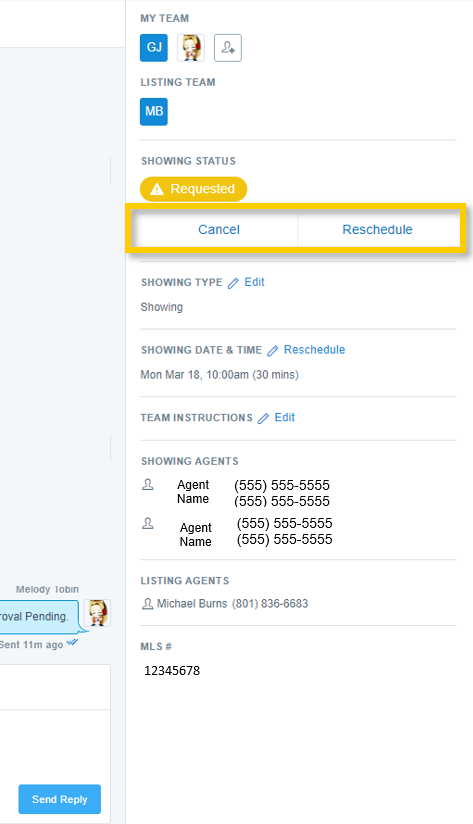
When applicable, a message thread will also include an option to cancel or reschedule a showing appointment. A Cancel button and a Reschedule button will appear on the right panel of the message thread for showing appointment requests that are still pending approval from the listing agent/team, as well as for showing requests that were previously approved by the listing agent/team.
If you need any assistance, please contact us at 801-676-5400 or support@utahrealestate.com.