
How do I Get Started Using RPR Commercial?
To begin using RPR commercial, you will need to create your RPR commercial account.
1. On the MLS Dashboard, select the RPR Commercial logo
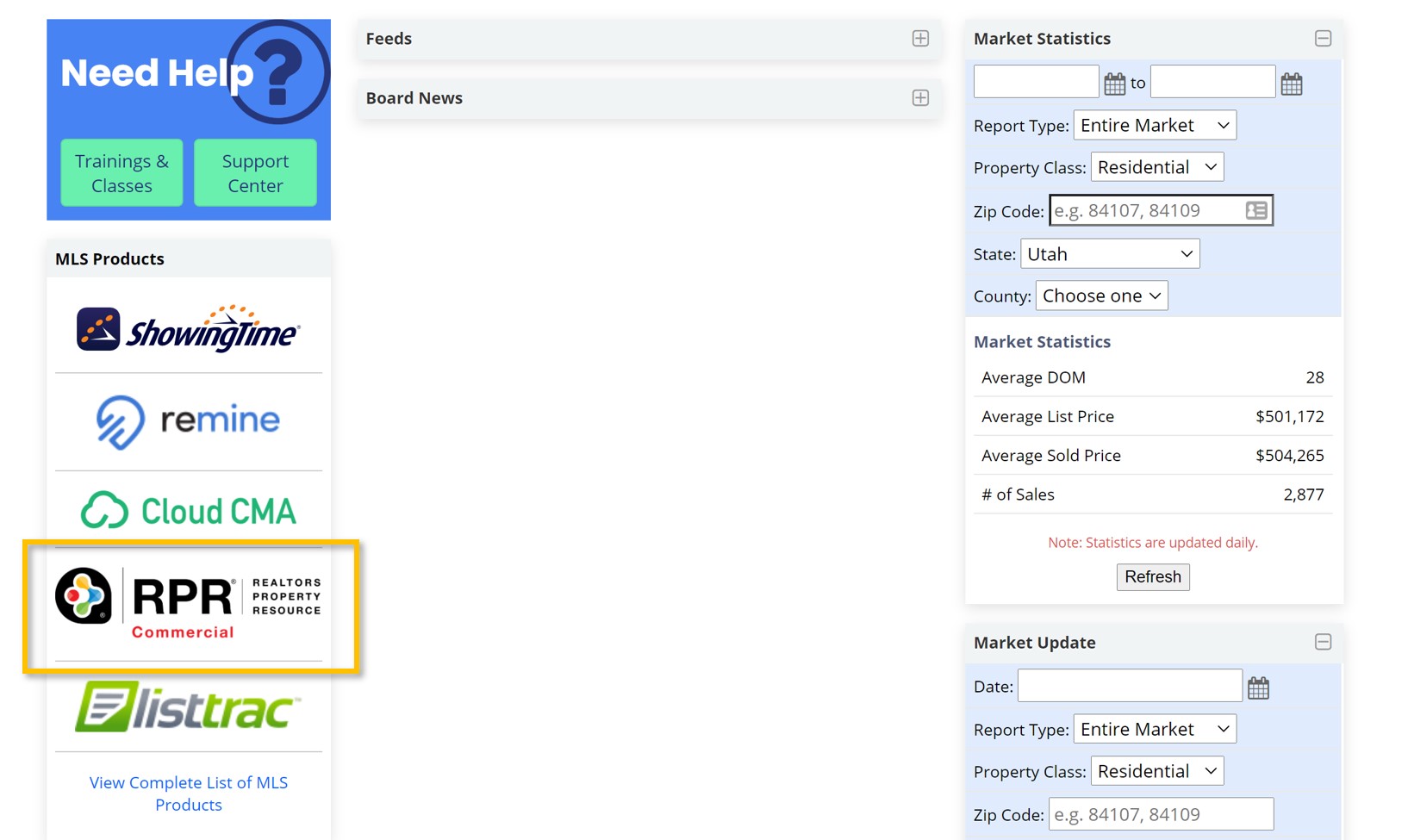
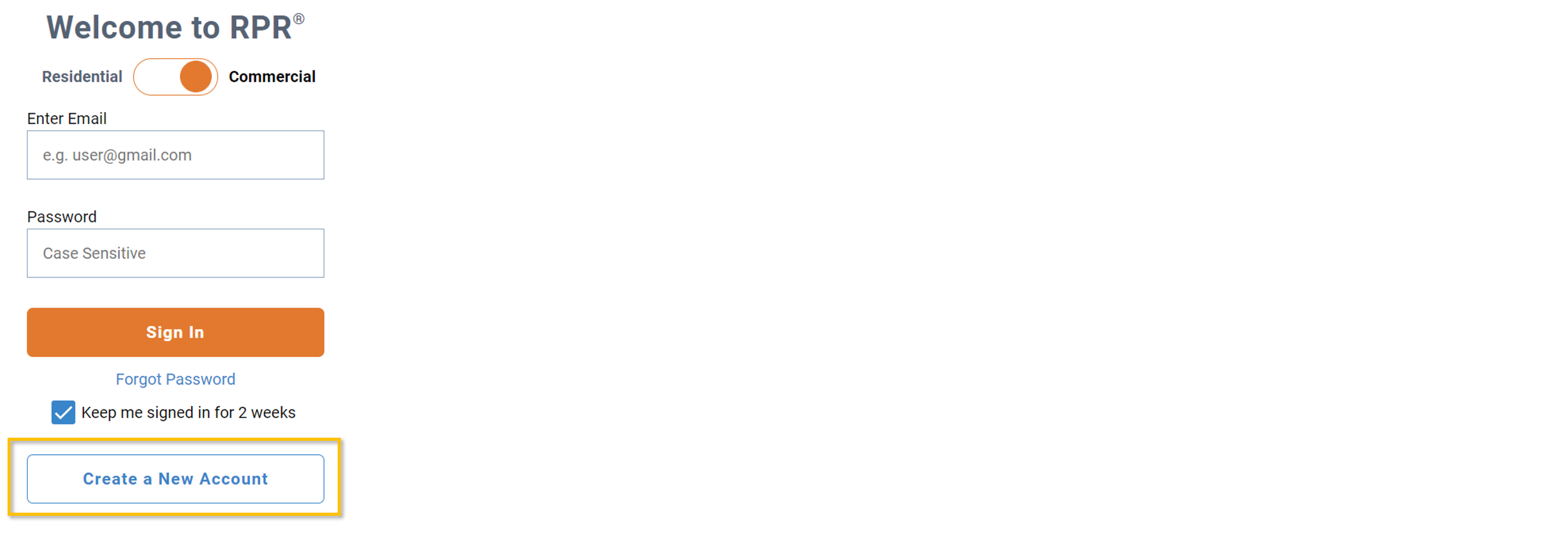
2. Because you are a new user, select Create a New Account. You will only need to take this step once.
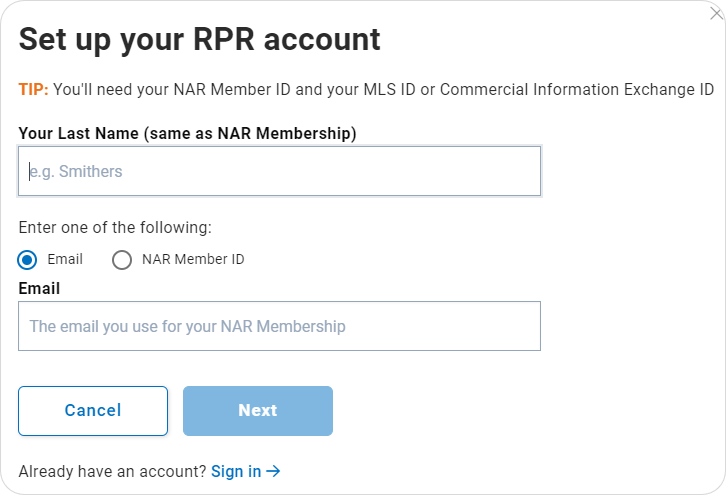
3. Enter your Last Name followed by your Email or NAR Member ID and select Next. Click here if you do not know your NAR Member ID.
4. You will now be sent an activation email to the email address NAR has on file for you. Visit that email inbox to retrieve your activation code. Select Activate My Account from within the email. This will open a new window and pre-fill some of your registration details.
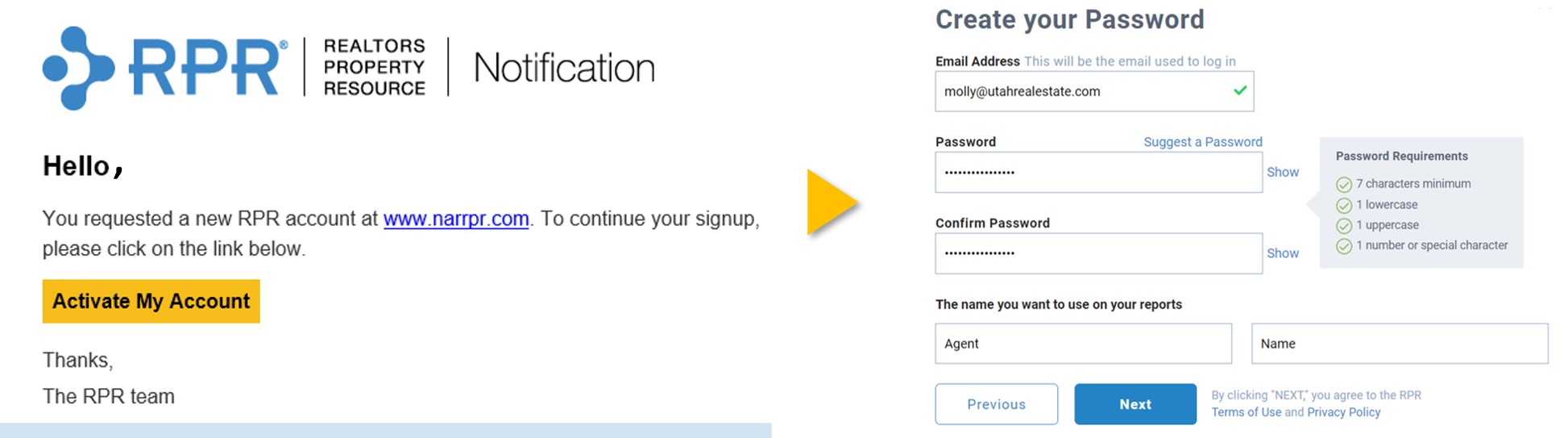
5. Create a strong Password. Your username will be the email address on file with NAR.
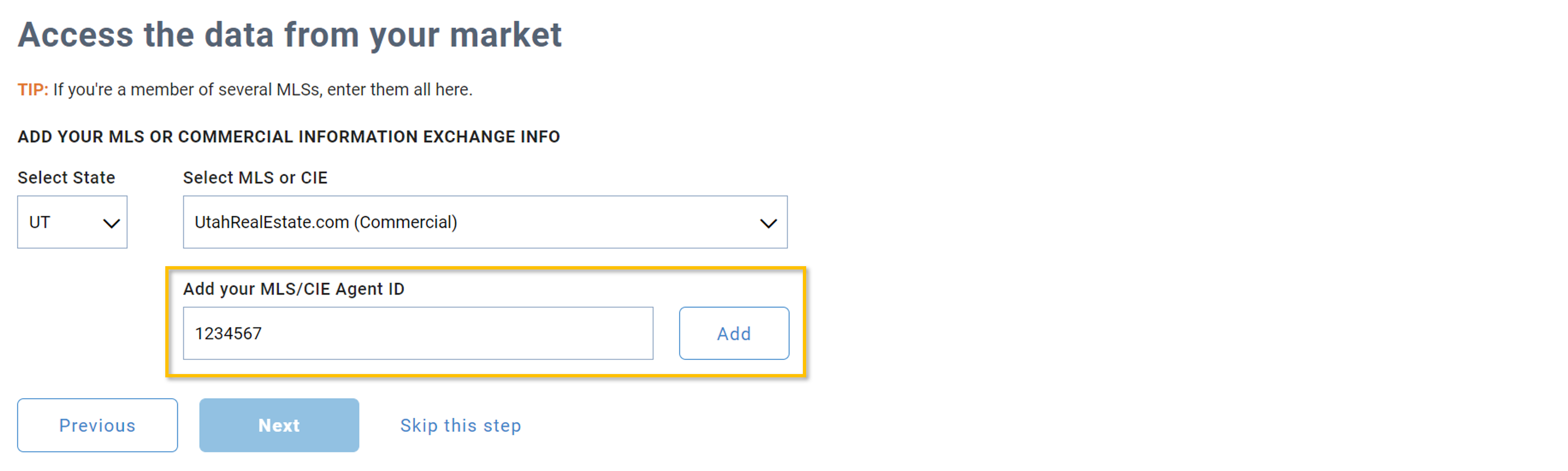
6. Finally, Select UT State and then UtahRealEstate.com (Commercial). Enter your MLS ID and select Add to connect your RPR account with your listing data and the Utah market.
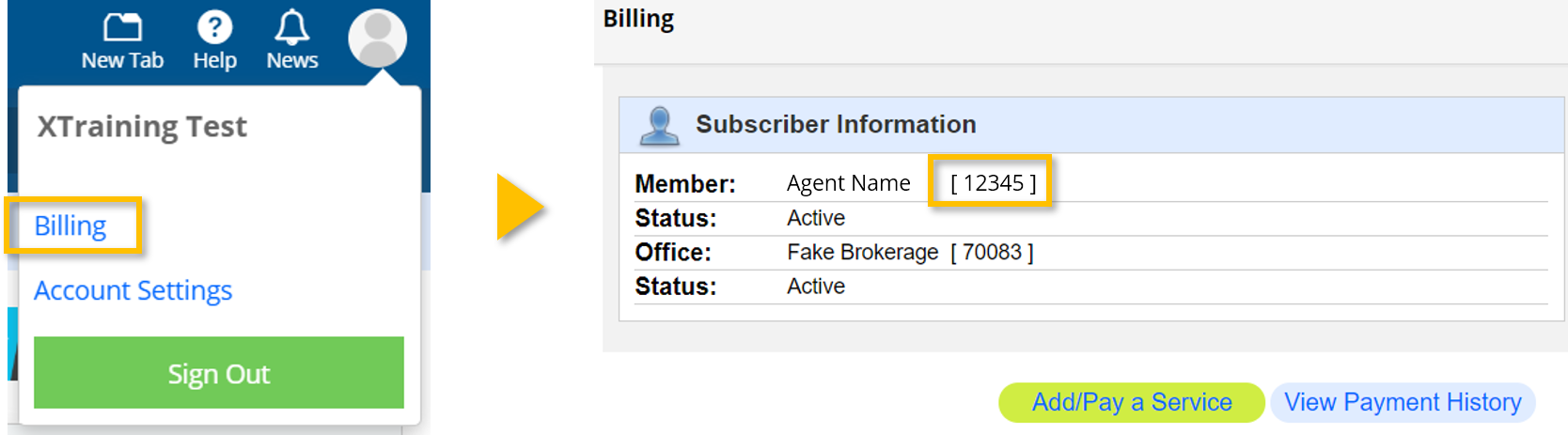
Tip: Your MLS ID can be easily found under billing.
If you need any assistance, please contact us at 801-676-5400 or support@utahrealestate.com.