
How Can We Help?
Can I Receive Direct Alerts When Clients “Favorite” a Listing?
You can receive email alerts whenever a client that has established a client connection with you favorites a property. This feature will send you an email notification if your client favorites a property from a Listing Alert or from their own search on the MLS.
How do I Elect to Receive Email Notices When a Client “Favorites” a Property?
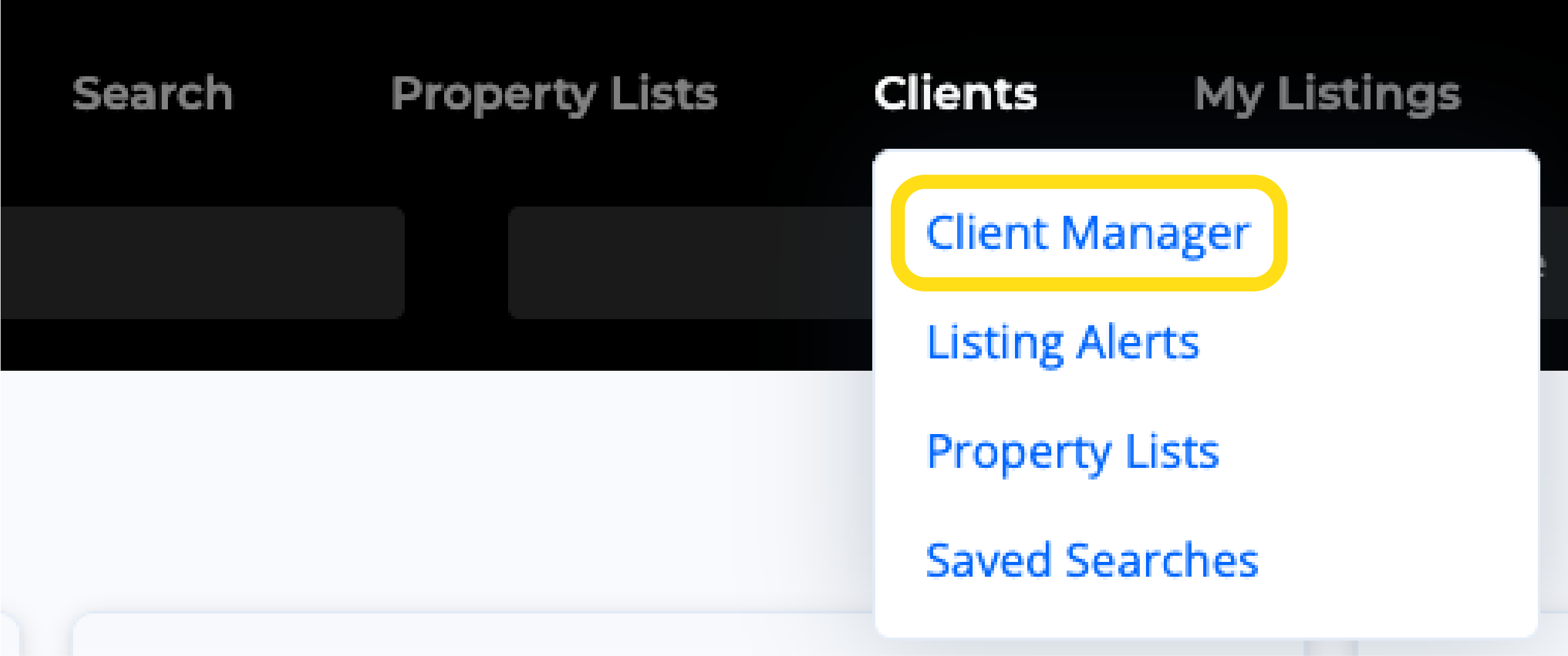
1. Click the Clients option from the main navigation menu, then click Client Manager.
2. Select your client’s name from the menu on the left.
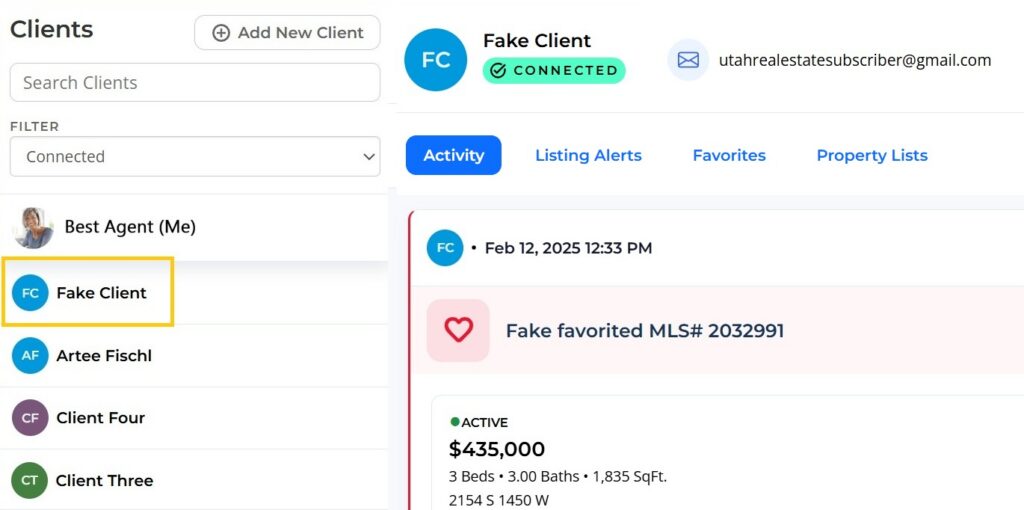
3. Turn on or off the toggle at the top right.

Can I Elect to Receive Email Alerts While Adding a New Client?
When adding a new client to your Client Manager, you can enable favorite email alerts by selecting I Want to Receive Email Alerts.

How do Email Alerts Work?
When a client favorites a property from a Listing Alert, the agent that sent the Listing Alert will receive the email When a client with a confirmed connection adds a Favorite, you will receive an email notice.
Will I Also Receive Notifications on the MLS?
Activity alerts make you aware when (1) a client has accepted a connection invitation request, and (2) a client has favorited or saved a property. When you have a new activity alert, a red dot will be shown next to the Clients menu option on the MLS. Additionally, when you go into the Client Manager, a red dot will appear next to the client’s name. Additionally, when you go into the Client Manager, a red dot will appear next to the client’s name.