How Can We Help?
If your seller requires advanced notice for showings on their listing, you can select an advanced notice requirement or lead time for your listing in Aligned Showings. This setting allows you to require a minimum amount of advanced notice or lead time before a showing can be requested. You can also disable or prevent same day showings.
How to Set the Advance Notice Requirements
Here are the steps to set an Advance Notice Requirement for your listing in Aligned Showings:
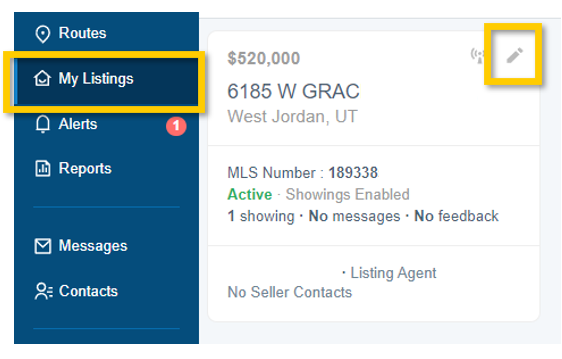
1. Within Aligned Showings, navigate to My Listings and select the Edit icon next to the listing where you want to set an advance notice requirement.
For example: If advanced notice is set to 2 hours and it is 11am, the earliest available time slot to request a showing would be 1pm.
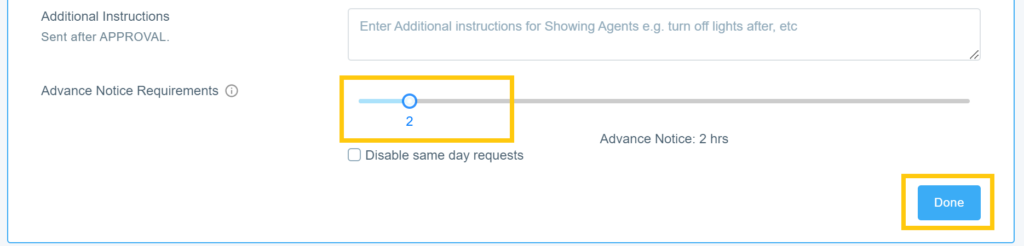
3. Select Done.
How to Disable Same Day Showings on Your Listing
Here are the steps to disable or prevent same day showings for your listing in Aligned Showings:
1. Within Aligned Showings, navigate to My Listings and select the Edit icon next to the listing where you want to set an advance notice requirement.
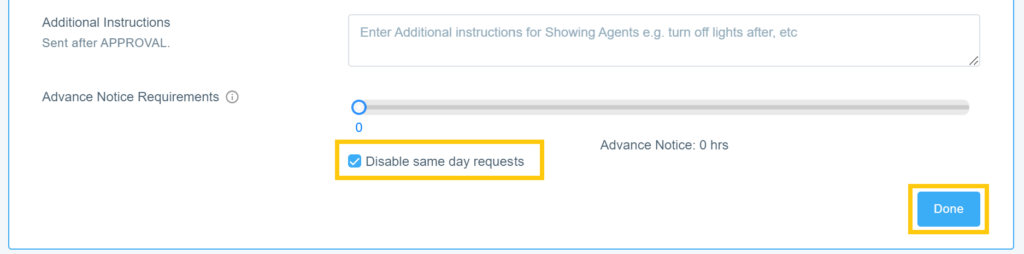
3. Select Done.
How Does this Look for a Showing Agent?
When an agent requests a showing on a listing with an advance notice requirement, a message is displayed at the bottom of the showing request window, letting them know the amount of advance notice or lead time required:
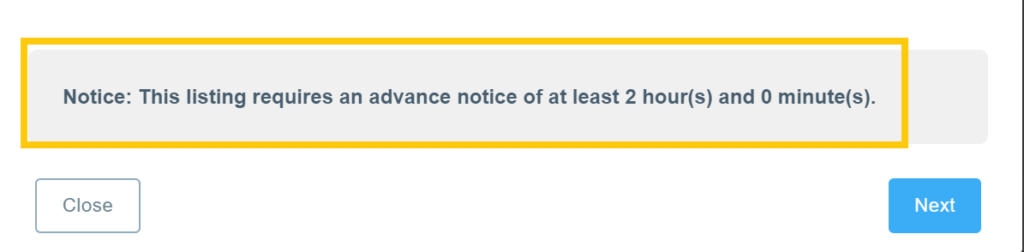
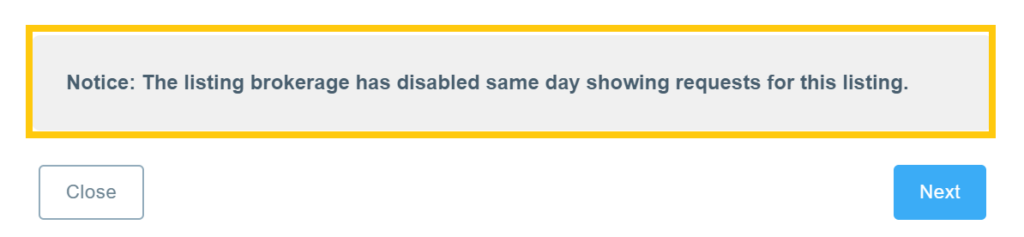
If same day showings have been disabled, amessage is displayed at the bottom of the showing request window, letting them know that same day showings have been disabled.