How Can We Help?
How Do I Cancel a Showing Request in Aligned Showings?
A showing request can be canceled after the showing has been requested by (1) the person who requested the showing, (2) by a member of the showing team that has been added to the showing request. Below are the steps to cancel a showing request within aligned showings.
1. Click the Aligned Showings logo that appears on the left side of the MLS homepage to login to your Aligned Showings account.
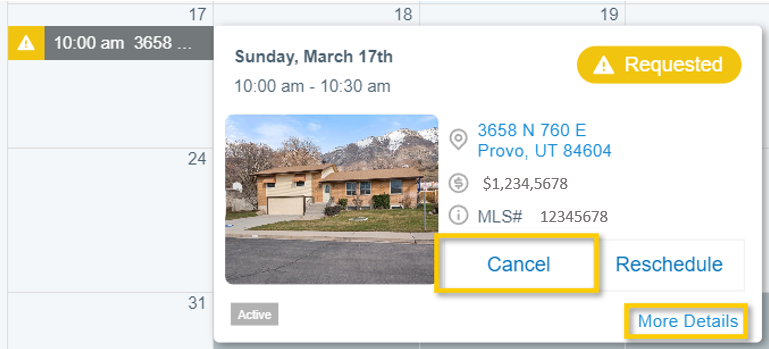
2. Once in Aligned Showings your calendar will be displayed. Locate the showing request on your calendar and click on that showing request. From here, you can choose to Cancel the appointment, Reschedule the appointment to request a new date and time, or select More Details.
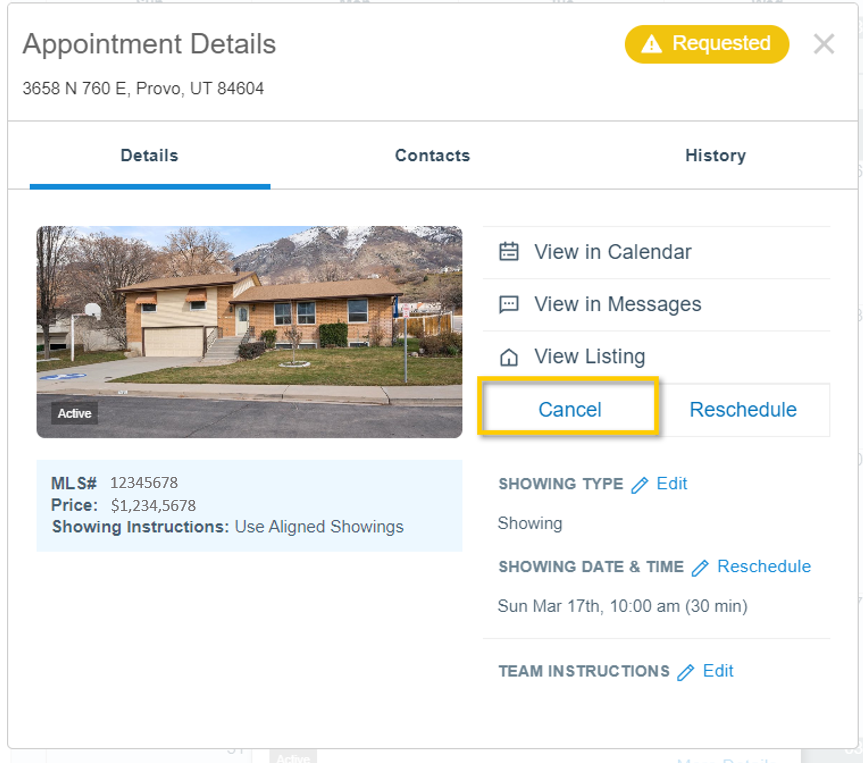
3. The details for the requested showing are shown on this page. To cancel the showing from within the More Details view, click on Cancel.
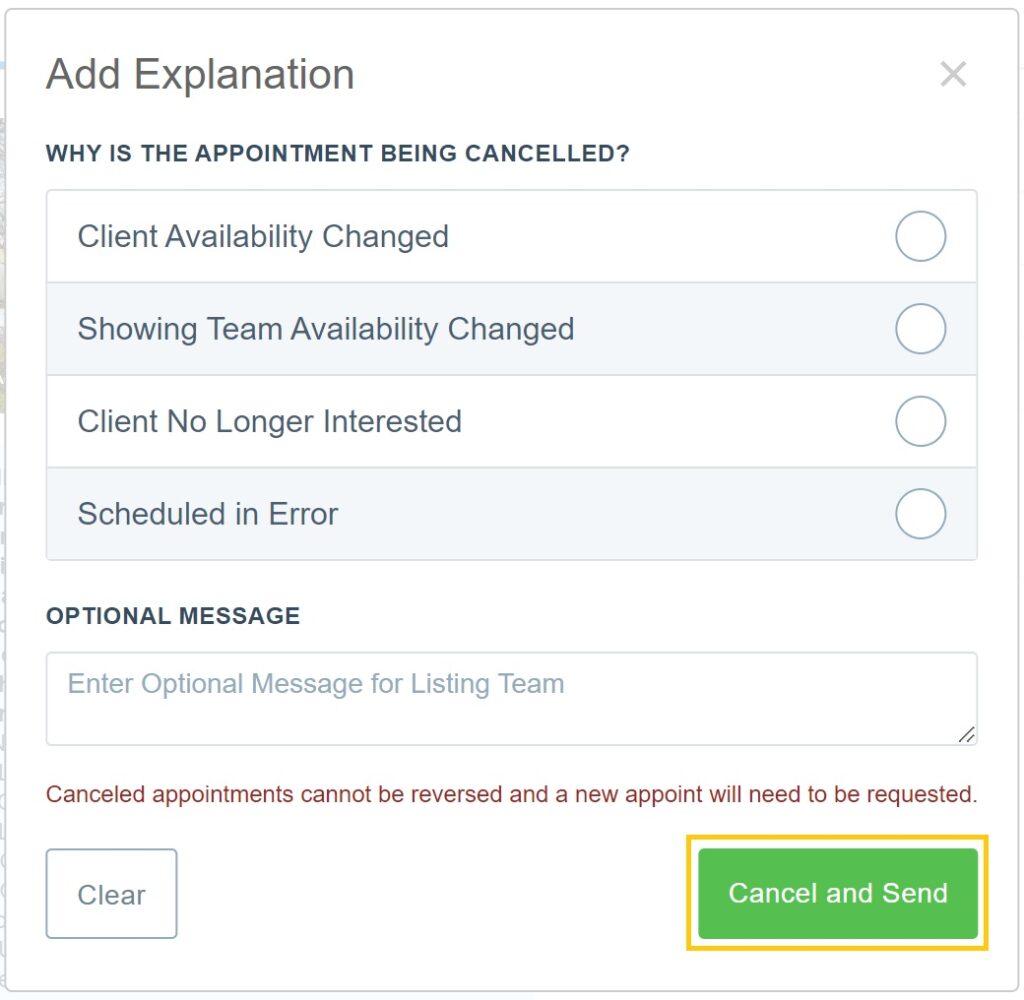
4. You may select an explanation as to why the appointment is being canceled (optional), or enter a message in the box below. Click Cancel and Send to complete the cancellation of the showing request.