
How Can We Help?
What is a Virtual Open House?
A virtual open house is an open house that is hosted by a listing agent via the internet, as opposed to a traditional open house where attendees tour the house in-person. Here are some common examples of virtual open houses:
- A live stream video where the listing agent showcases the house in real time
- A pre-recorded video of the listing agent showcasing the house
What is the Difference Between a Virtual Open House and a Virtual Tour?
A virtual tour is most commonly a pre-recorded video or a slideshow of listing photographs of the property that does not typically have agent commentary.
On the other hand, a virtual open house typically involves the listing agent providing a narration of the property and answering questions from the audience (in cases where the virtual open house is live streamed).
Tips and Examples for Hosting a Virtual Open House
Below are some general tips and examples of how you could conduct a virtual open house.
1. Choose a Platform. The first step is to choose a platform or program that you want to use to conduct your virtual open house. Here are a few examples of platforms with live streaming capabilities:
- GoToMeeting
- YouTube
- Zoom
It’s important to keep in mind that each platform will differ in features and ease of use, so we recommend picking a platform you are either already familiar with or one that you feel comfortable learning.
2. Schedule a Date and Time. Once you have determined the date and time for your virtual open house, we recommend you create and setup your event as early as possible. For example, live streaming platforms typically will have a “Create Meeting” or “Create Event” option that you can use to set a future date and time for your event.
3. Promote your Virtual Open House. As explained above, live streaming platforms typically provide features that allow you to create the meeting prior to the date. Once your event is setup, you can usually access a URL that can be shared to promote and/or allow users to register for your upcoming event. If your virtual open house is going to be pre-recorded, then you will need to obtain the URL of the location where the video is hosted (i.e. the link to the website where your pre-recorded video is located).
Once you have the URL for your virtual open house, we recommend you promote your virtual open house in the MLS. You can do this by adding an open house to your listing, just like you would add an in-person open house. However, when adding a virtual open house to your listing, you will want to make sure to note that the Open House Type is Virtual. When virtual is designated as the open house type, you will see a field where you can enter the URL for your virtual open house. For step by step instructions, please see Add Open House Details to a Listing
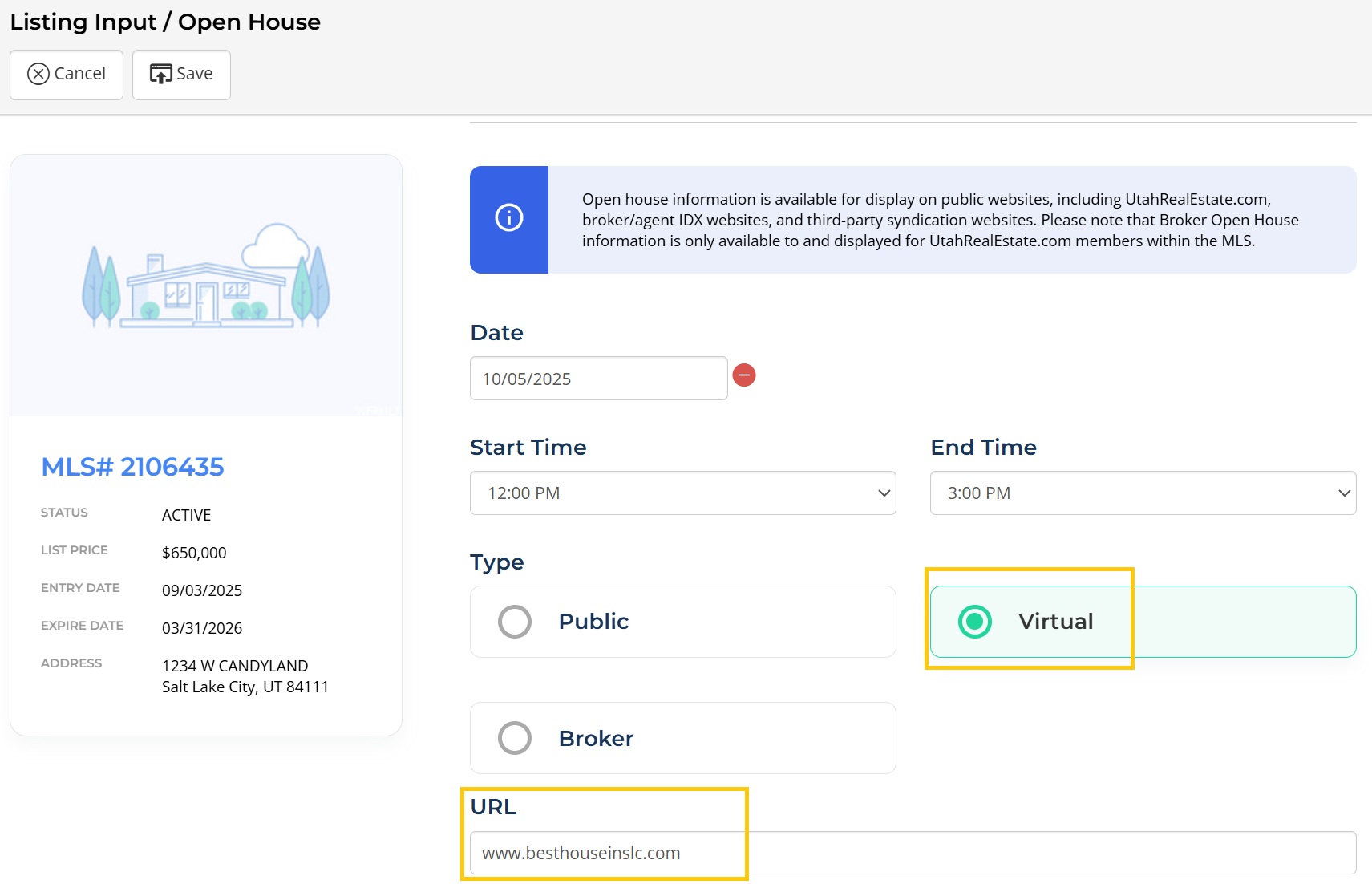
4. Test and Go Live. On the day of your scheduled virtual open house, we recommend logging in to the platform you will be using in advance of your open house to test the internet connection and video/audio quality.
How Will Potential Buyers Access my Virtual Open House from the MLS?
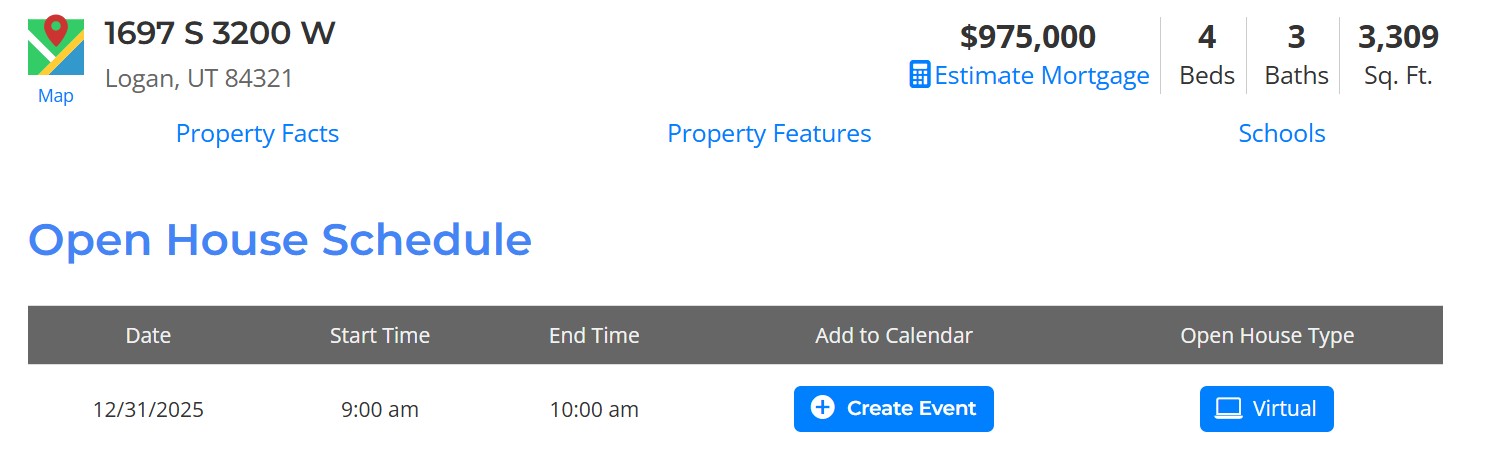
Virtual Open Houses entered into the MLS will be visible to MLS members and their clients as well as users of your MLS public website, Your Virtual Open House will be highlighted at the top of your listing and include the Open House URL you entered, giving potential buyers direct access to your Virtual Open House.
If you need any assistance, please contact us at 801-676-5400 or support@realestatedata.com.